
13 min read
'%3e%3cg%20clip-path='url(%23b6dc094121)'%3e%3cpath%20fill='%230066cc'%20d='M%2012.707031%205.710938%20L%2012.707031%2035.761719%20L%2037.007812%2035.761719%20L%2037.007812%205.710938%20Z%20M%2012.707031%205.710938%20'%20fill-opacity='1'%20fill-rule='nonzero'/%3e%3c/g%3e%3c/g%3e%3cg%20clip-path='url(%23cd2e57bbdf)'%3e%3cg%20clip-path='url(%23cc31bb2a50)'%3e%3cpath%20fill='%230066cc'%20d='M%2026.734375%201.035156%20L%2026.734375%2035.761719%20L%2036.882812%2035.761719%20L%2036.882812%201.035156%20Z%20M%2026.734375%201.035156%20'%20fill-opacity='1'%20fill-rule='nonzero'/%3e%3c/g%3e%3c/g%3e%3cg%20clip-path='url(%23ab469c456a)'%3e%3cg%20clip-path='url(%23fb318aa8dc)'%3e%3cpath%20fill='%230066cc'%20d='M%200.0546875%201.035156%20L%200.0546875%2035.761719%20L%2010.203125%2035.761719%20L%2010.203125%201.035156%20Z%20M%200.0546875%201.035156%20'%20fill-opacity='1'%20fill-rule='nonzero'/%3e%3c/g%3e%3c/g%3e%3cg%20clip-path='url(%238fe1ac7b9f)'%3e%3cg%20clip-path='url(%23f68e7172d0)'%3e%3cpath%20fill='%230066cc'%20d='M%200%205.710938%20L%200%2035.761719%20L%2024.269531%2035.761719%20L%2024.269531%205.710938%20Z%20M%200%205.710938%20'%20fill-opacity='1'%20fill-rule='nonzero'/%3e%3c/g%3e%3c/g%3e%3c/svg%3e)
Are you drowning in a sea of forgotten subscriptions and recurring payments? It's a common modern dilemma, with countless services silently siphoning funds from your bank account. This comprehensive guide will show you exactly how to easily cancel unwanted subscriptions from multiple platforms, helping you regain control of your finances and simplify your digital life.

Yağız Gürbüz
Founder & CEO

🎧 En iyi deneyim için kulaklık kullanmanızı öneririz
Are you drowning in a sea of forgotten subscriptions and recurring payments? It's a common modern dilemma, with countless services silently siphoning funds from your bank account. This comprehensive guide will show you exactly how to easily cancel unwanted subscriptions from multiple platforms, helping you regain control of your finances and simplify your digital life.
The modern consumer landscape is awash with subscription services, offering everything from entertainment and software to meal kits and fitness programs. While these services provide immense convenience and value, they also present a unique challenge: managing a growing roster of recurring payments that can quickly spiral out of control. Many individuals find themselves paying for services they no longer use, or worse, have completely forgotten about, leading to significant financial drain.
The rise of the subscription economy has revolutionized how we access goods and services. Companies benefit from predictable revenue streams, while consumers enjoy ongoing access to content and tools without large upfront costs. This model encourages experimentation, often beginning with enticing free trials. However, the ease of signing up, combined with automatic renewals, makes it incredibly simple to accumulate numerous subscriptions. Each new sign-up, often just a few clicks away, adds another line item to a monthly budget that can quickly become opaque.
One of the primary reasons unwanted subscriptions accumulate is simply forgetfulness. After an initial period of use, interest might wane, or a service might no longer be needed, yet the subscription continues to auto-renew. This is particularly true for services with low monthly fees, which can easily blend into a busy bank statement. Many people sign up for a free trial with the best intentions of canceling before being charged, only for life to get in the way, and the trial seamlessly converts into a paid subscription. The "set it and forget it" nature of recurring payments, while convenient for active services, becomes a significant liability for those that are no longer wanted.
The cumulative effect of several forgotten subscriptions can be substantial. Even a seemingly insignificant $5 or $10 monthly fee, when multiplied across multiple services and months, can amount to hundreds of dollars annually. This is money that could be saved, invested, or spent on more meaningful purchases. Beyond the direct financial cost, there's also the mental burden of feeling disorganized and out of control of one's finances. Identifying and canceling these unused services is not just about saving money; it's about reclaiming financial autonomy and simplifying your digital footprint.

Before you can cancel unwanted subscriptions, you first need to know what you're paying for. This step is often the most challenging, as subscriptions can hide in various corners of your digital and financial life. A thorough audit is crucial to ensure you don't miss any recurring charges.
Your bank and credit card statements are the most reliable sources for identifying recurring payments. Dedicate time to meticulously review at least the last 12 months of transactions. Look for patterns in charges, especially those with similar amounts appearing monthly or annually. Common descriptors might include "SVC," "SUB," "MEMB," or specific company names like "Netflix," "Spotify," "Adobe," or "Amazon Prime." Highlight anything that looks like a recurring charge, even if you don't immediately recognize it. Don't just skim; read every line item. Many smaller subscriptions can easily be overlooked if you're not paying close attention.
Your email inbox is a treasure trove of information regarding your subscriptions. Search for keywords like "subscription," "renewal," "receipt," "invoice," "free trial," "confirm," or "welcome." Companies typically send confirmation emails when you sign up, payment receipts, and renewal notices. Make sure to check all your email accounts, including any older ones you might still use for sign-ups. Also, remember to check your spam or junk folders, as some automated notifications might end up there. Creating a spreadsheet to list each identified subscription, its cost, and renewal date can be incredibly helpful for organization.
Many digital subscriptions are managed directly through the app stores or platform ecosystems where they were purchased. These platforms provide centralized locations to view and manage all associated recurring charges.
These sections provide a clear overview of active subscriptions linked to your respective accounts and usually offer a direct path to cancellation.
If you frequently use third-party payment providers like PayPal or Stripe, these platforms can also host recurring payment agreements. Many services allow you to sign up for subscriptions directly through these providers, which then handle the recurring charge on your behalf.
Reviewing these dashboards can reveal subscriptions that might not explicitly appear on your bank statements as separate line items but rather as a consolidated PayPal or Stripe charge.
While each platform and service has its unique cancellation process, several universal principles apply, making the task less daunting once you understand the common patterns.
Almost every subscription service will have a dedicated section within your account settings where you can manage your billing and subscription status. The first place to look after logging in is typically: "Account Settings," "My Account," "Profile," "Billing," "Payments," or "Subscriptions." Within these sections, you'll usually find options to view your plan, update payment methods, and most importantly, cancel or downgrade your subscription. Be prepared to click through a few menus, as some companies try to make the cancellation path less obvious.
Before initiating a cancellation, it's wise to quickly review the service's cancellation policy. This information is often found in the "Terms of Service," "FAQs," or directly within the billing section. Key things to look for include:
Even if you can't find a direct "Cancel" button, look for phrases like "Manage Subscription," "Change Plan," "Update Payment," or "Billing Information." Clicking these links will typically lead you to the page where cancellation options are available. Some services might require you to click "Change Plan" first, then present an option to "Cancel" or "Downgrade to Free" within that flow. Persistence is key; if it's not immediately obvious, keep exploring the billing-related sections.
After successfully canceling a subscription, always ensure you receive a confirmation email. This email serves as vital proof that you have completed the cancellation process. Save this email in case any disputes arise later, such as an erroneous charge appearing after you thought you had canceled. If you don't receive a confirmation email within a few hours, consider contacting customer support directly to verify the cancellation. Some platforms might provide an on-screen confirmation message that you can screenshot as an additional safeguard.
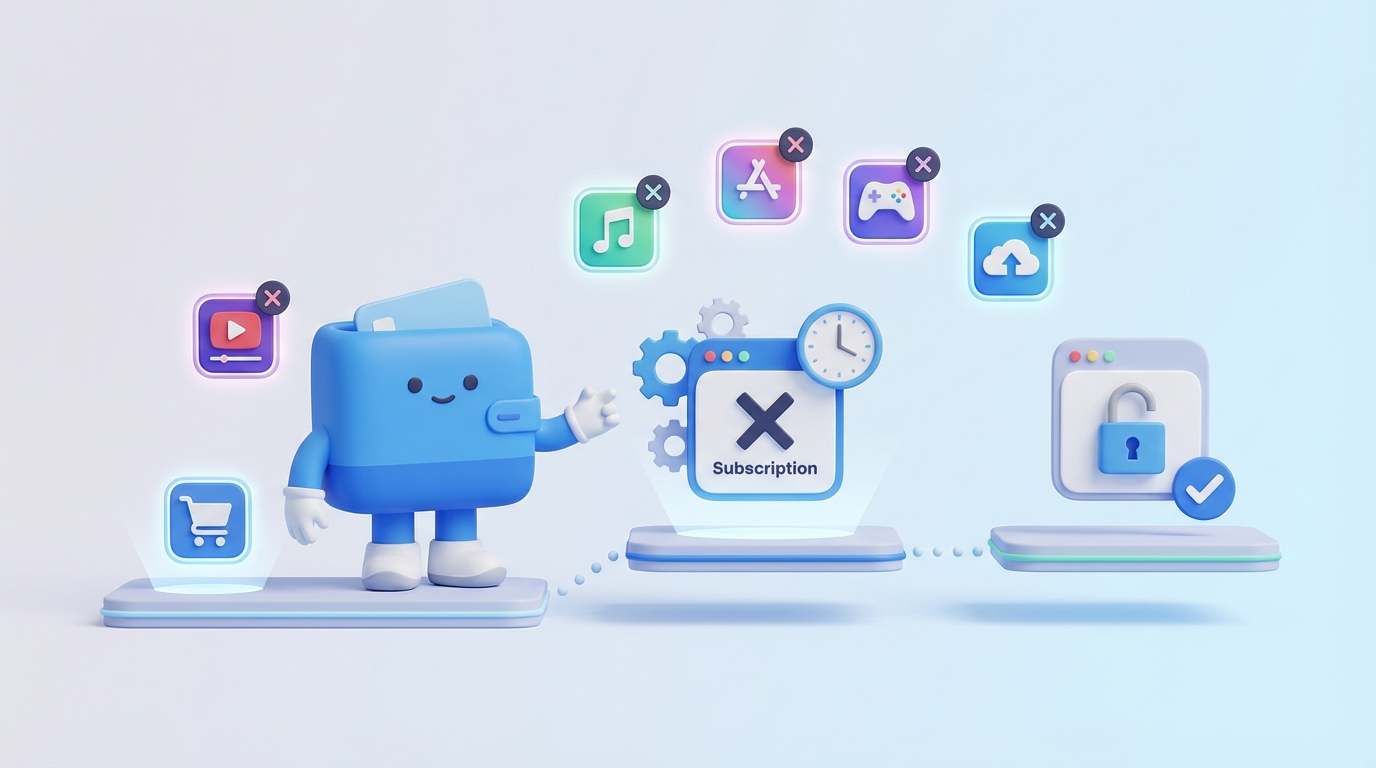
Here are detailed steps for cancelling subscriptions across various popular categories, addressing specific nuances for each.
Streaming services are among the most common subscriptions. Their cancellation processes are usually straightforward.
Consideration: Many streaming services will try to offer you a pause option or a discounted rate to prevent cancellation. Be firm if you truly want to cancel.
These are managed centrally through your device's settings or the respective app store.
Consideration: Deleting an app does not automatically cancel its subscription. You must manually cancel through the app store settings.
These often have more complex cancellation policies, especially for annual plans.
Consideration: For software, especially annual commitments, be mindful of cancellation windows and potential fees. Read the terms carefully.
These involve recurring benefits or automated deliveries.
Consideration: For services like Amazon Prime, evaluate if the benefits you receive still justify the cost before canceling.
These provide access to online multiplayer, free games, and discounts.
Consideration: Many gaming subscriptions are annual. Turning off auto-renew is often the best option if you want to use the remaining time but not be charged again.
These subscriptions often offer a sense of community or specific guided content.
Consideration: Always check if you subscribed directly through the company's website or via a third-party app store, as the cancellation method differs.

For those overwhelmed by the sheer number of subscriptions or who prefer an automated approach, dedicated subscription management tools can be invaluable.
Subscription management apps and services typically work by securely connecting to your bank accounts and credit cards. They then scan your transactions, identify recurring payments, and categorize them as subscriptions. These tools often provide a centralized dashboard where you can see all your active subscriptions, their costs, and renewal dates at a glance. Some advanced tools even offer features to cancel subscriptions directly through their interface or negotiate better rates on your behalf.
Pros:
When using subscription management apps, it's crucial to choose reputable services that employ robust security measures, such as bank-level encryption and two-factor authentication. Always read their privacy policies to understand how your data is collected, stored, and used. While these services can be incredibly convenient, the trade-off is often sharing sensitive financial information. Weigh the benefits against your personal comfort level with data sharing.
The best way to deal with unwanted subscriptions is to prevent them from accumulating in the first place. Adopting a few proactive habits can save you time, money, and frustration down the line.
Virtual credit cards (VCCs), offered by some banks and financial services, allow you to generate unique, temporary card numbers linked to your primary account. You can often set spending limits or expiration dates for these VCCs. Using a VCC for free trials means that if you forget to cancel, the card will simply decline future charges after its limit or expiration, preventing unwanted auto-renewals. Alternatively, consider using a single, dedicated credit card for all subscriptions, making it easier to track and potentially cancel if needed.
Before signing up for any free trial, immediately open your calendar and set a reminder for at least 2-3 days before the trial is scheduled to end. This gives you ample time to evaluate the service and cancel before you're charged. Be specific with your reminder, including the service name and a direct link to its cancellation page if possible. This simple habit can save you from countless accidental charges.
Don't wait until your bank account feels light to check your subscriptions. Make it a routine practice to audit your recurring payments. Whether it's quarterly or semi-annually, set aside time to review your bank statements, app store subscriptions, and email receipts. This regular check-up ensures that any forgotten services are caught quickly, minimizing the financial impact of unused subscriptions.
Most "free trials" automatically convert into paid subscriptions unless explicitly canceled. Always assume this is the case. Be skeptical of services that make the cancellation process unclear or difficult to find during the sign-up phase. Understand that the onus is on you to cancel, not on the company to remind you. Many services strategically bury cancellation options, hoping you'll forget.
It's tempting to click "agree" without reading, but for subscriptions, a quick scan of the terms and conditions (T&Cs) can reveal crucial information. Pay particular attention to sections on "Billing," "Cancellation Policy," "Refunds," and "Auto-Renewal." Understanding these terms upfront will inform your decision to subscribe and prepare you for the cancellation process if needed. Knowing the terms can also give you leverage if a company makes cancellation difficult.
Sometimes, canceling a subscription isn't as straightforward as clicking a button. Companies might employ "dark patterns" or intentionally obscure the cancellation process. Here's what to do when you encounter resistance:
Remember to remain polite but firm throughout the process. Most companies will comply once you make your intention clear and demonstrate you know your rights.
It depends entirely on the company's refund policy. Many services offer pro-rated refunds for annual plans if canceled early, while others (especially for monthly plans) only allow you to use the service until the end of your current billing cycle without a refund. Always check the terms of service or contact customer support to inquire about refund eligibility.
Canceling a subscription stops the recurring payments but usually keeps your account active (often converting it to a free tier or holding your data). You might be able to resubscribe later without losing your history. Deleting an account is a more permanent action that removes all your data, content, and personal information associated with that service, often making it irreversible. If you just want to stop payments, cancellation is usually sufficient.
The actual cancellation request usually processes immediately. However, the service itself might remain active until the end of your current billing period (e.g., if you paid for a month on the 5th and cancel on the 15th, you'll often still have access until the 4th of the next month). Always look for a confirmation email that specifies when your service will officially end.
If a company refuses to cancel a subscription despite your clear request and adherence to their policy, document all your attempts (screenshots, call logs, emails). Then, escalate by contacting their customer support again, explicitly stating you will dispute the charges with your bank or payment provider if they don't comply. As a last resort, contact your bank or credit card company to dispute the recurring charges or issue a stop payment. Be prepared to provide your documentation.
Generally, no, as long as you are canceling according to the company's terms and conditions and fulfilling any commitments (e.g., minimum contract periods). However, if you initiate a chargeback with your bank without first attempting to cancel with the merchant, or if you cancel mid-contract where early termination fees apply, the company might pursue the outstanding amount or send your account to collections. It's always best to follow the merchant's cancellation process first to avoid potential disputes.
Successfully navigating the world of subscriptions requires vigilance, organization, and a proactive mindset. By methodically identifying all your recurring payments, understanding general cancellation principles, and utilizing the specific steps provided for popular platforms, you can effectively eliminate unwanted subscriptions and prevent future financial drain. Leveraging subscription management tools can offer valuable oversight, while adopting proactive habits like using virtual cards and setting reminders will safeguard your wallet from accidental auto-renewals.
Taking control of your digital spending isn't just about saving money; it's about simplifying your financial life, reducing stress, and ensuring that every dollar you spend contributes to services you genuinely value and use. Make it a regular practice to review your subscriptions, cancel what's no longer needed, and stay informed about your recurring commitments. Your bank account—and your peace of mind—will thank you for it.
Written by
Founder & CEO
Sharing knowledge on personal finance, budget management, and investment strategies to help you achieve financial freedom.

