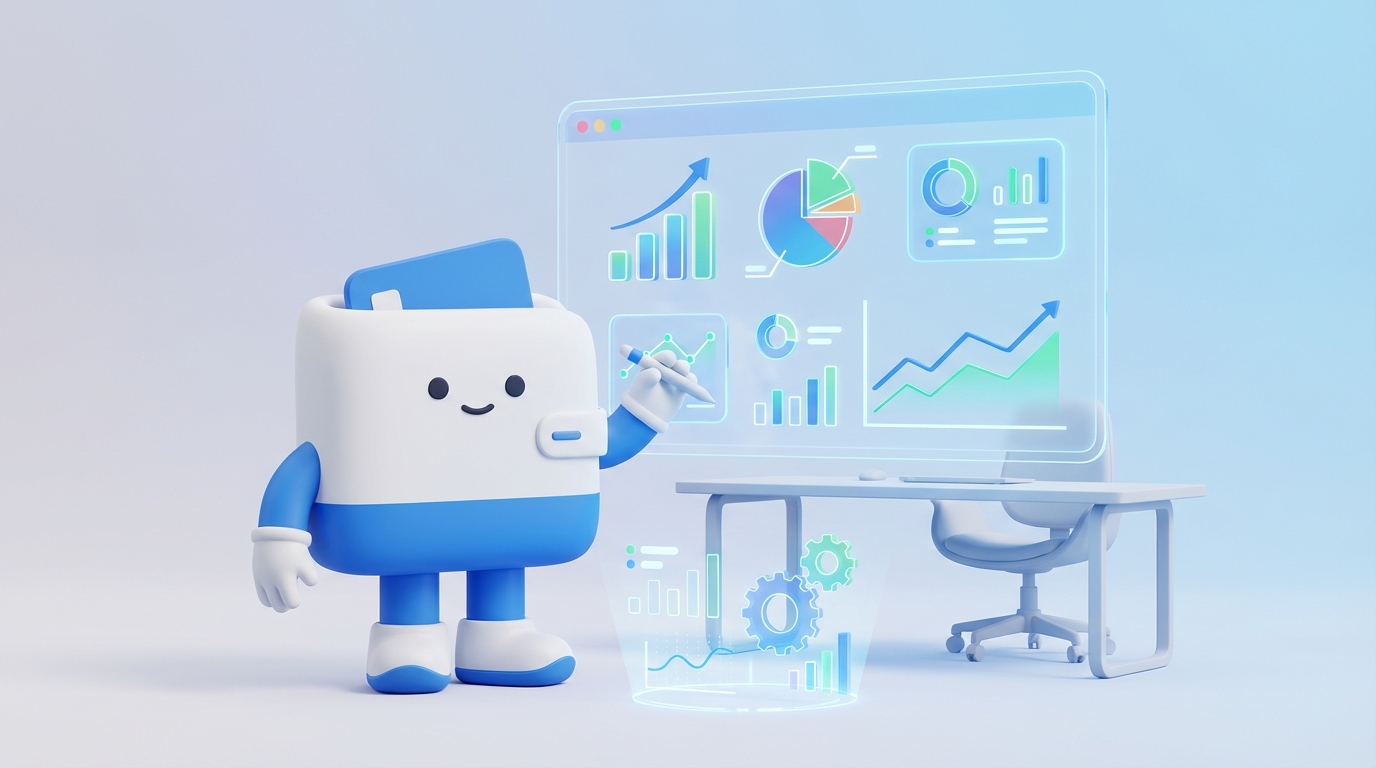
How to track revenue growth using digital dashboards
Mastering revenue growth is not just about making more sales; it's about understanding the intricate dynamics that drive your business forward. Digital dashboards offer a powerful, real-time lens into your financial performance, transforming raw data into actionable insights. This comprehensive guid
Yağız Gürbüz
Founder & CEO
Share:
Sesli Makale
How to track revenue growth using digital dashboards
ile seslendirildi
0:00-0:00
100%
🎧 En iyi deneyim için kulaklık kullanmanızı öneririz
Mastering revenue growth is not just about making more sales; it's about understanding the intricate dynamics that drive your business forward. Digital dashboards offer a powerful, real-time lens into your financial performance, transforming raw data into actionable insights. This comprehensive guide will walk you through the essential steps and best practices for effectively tracking revenue growth using these indispensable tools, empowering you to make data-driven decisions that propel your business to new heights of profitability and sustainability.
Why Tracking Revenue Growth with Digital Dashboards is Crucial
Tracking revenue growth with digital dashboards is no longer a luxury but a fundamental necessity for any forward-thinking business. In today's fast-paced, data-rich environment, relying on static reports or infrequent manual analyses simply isn't sufficient to stay competitive. Digital dashboards provide an immediate, dynamic, and holistic view of your financial health, allowing stakeholders to grasp complex information at a glance and react swiftly to emerging trends or potential challenges.
The immediate benefit lies in the unparalleled visibility they offer. Instead of sifting through spreadsheets or waiting for monthly reports, key performance indicators (KPIs) related to revenue are presented in an intuitive, visual format. This real-time access means that decision-makers, from sales managers to C-suite executives, can monitor performance continuously, identify bottlenecks, and pinpoint successful strategies almost as they happen. This proactive approach contrasts sharply with traditional methods, which often lead to reactive decision-making based on outdated information, potentially missing critical windows of opportunity or allowing problems to escalate.
Enhanced Decision-Making Through Real-Time Data
Digital dashboards democratize data, making sophisticated analytics accessible to a broader audience within the organization. By presenting data in easy-to-understand charts, graphs, and tables, they eliminate the need for specialized data analysts to interpret every report. This empowers teams across sales, marketing, and operations to understand their impact on revenue growth directly, fostering a culture of accountability and data literacy. When everyone understands how their efforts contribute to the top line, strategic alignment improves dramatically.
Furthermore, these dashboards facilitate scenario planning and forecasting with greater accuracy. By tracking historical revenue growth alongside current performance and various influencing factors (e.g., marketing spend, seasonal trends, customer acquisition costs), businesses can build more robust predictive models. This capability is invaluable for setting realistic goals, allocating resources effectively, and anticipating future financial positions, allowing for strategic adjustments before issues become critical. The ability to quickly slice and dice data, comparing performance across different segments, products, or regions, further refines these insights, leading to more targeted and effective growth initiatives.
Effectively tracking revenue growth requires a clear understanding of which metrics truly matter. While total revenue is the ultimate indicator, a comprehensive dashboard incorporates a variety of supporting metrics that provide context, reveal underlying drivers, and highlight areas for optimization. Focusing solely on the top-line number can mask inefficiencies or unsustainable growth patterns, making a multi-faceted approach essential.
These key metrics can typically be categorized into those directly related to revenue generation, those reflecting customer value, and those indicating the efficiency of your revenue-generating activities. The selection of specific metrics will vary slightly depending on your business model (e.g., SaaS vs. e-commerce vs. traditional retail), but the core principles remain consistent: measure what drives and sustains your growth.
Core Revenue Metrics
Total Revenue: The aggregate income generated from sales of goods or services over a specific period. This is your primary top-line metric.
Revenue Growth Rate: The percentage increase in revenue over a defined period (e.g., month-over-month, year-over-year). This metric indicates the speed at which your business is expanding.
Average Revenue Per User (ARPU) / Average Revenue Per Account (ARPA): The average amount of revenue generated from each user or account. This is crucial for understanding the value derived from your customer base and identifying opportunities for upselling or cross-selling.
Monthly Recurring Revenue (MRR) / Annual Recurring Revenue (ARR): Particularly vital for subscription-based businesses, these metrics track predictable, recurring revenue, offering insights into the stability and long-term potential of your business model.
Sales Volume: The total number of units or services sold. While not directly revenue, it's a critical driver and can indicate market demand or sales team effectiveness.
Customer-Centric Revenue Metrics
Customer Lifetime Value (CLTV): The predicted total revenue that a customer will generate throughout their relationship with your company. A high CLTV indicates strong customer retention and loyalty, which are significant drivers of sustainable growth.
Customer Acquisition Cost (CAC): The cost associated with acquiring a new customer. Comparing CLTV to CAC is fundamental for assessing the profitability of your customer acquisition strategies. A healthy ratio (e.g., 3:1 CLTV:CAC) is often targeted.
Churn Rate: The percentage of customers who stop doing business with your company over a given period. High churn directly impacts recurring revenue and necessitates higher acquisition efforts to maintain growth.
Customer Retention Rate: The inverse of churn, representing the percentage of customers who continue to do business with your company. Strong retention is a powerful growth lever.
Efficiency and Profitability Metrics
Gross Profit Margin: The percentage of revenue remaining after deducting the cost of goods sold (COGS). This metric indicates the profitability of your core offerings.
Net Profit Margin: The percentage of revenue left after all expenses, including COGS, operating expenses, interest, and taxes, have been deducted. This is the ultimate measure of your business's overall profitability.
Sales Cycle Length: The average time it takes for a lead to convert into a paying customer. Shorter sales cycles can accelerate revenue generation.
Conversion Rates: Various conversion rates (e.g., lead-to-opportunity, opportunity-to-win) across your sales funnel. Improving these rates directly impacts revenue by increasing the efficiency of your sales process.
By integrating these diverse metrics into your digital dashboard, you gain a holistic view of your revenue growth, allowing you to not only see the 'what' but also understand the 'why' behind your performance. This detailed insight is crucial for identifying levers for improvement and making informed strategic decisions.
Walletlify AI tarafından üretildi
Designing an Effective Revenue Growth Dashboard
Designing an effective revenue growth dashboard is about more than just piecing together charts; it's about creating a coherent narrative that provides actionable insights at a glance. A well-designed dashboard is intuitive, visually appealing, and tailored to the specific needs and goals of its primary users. It should tell a story about your revenue performance, highlighting trends, anomalies, and opportunities without overwhelming the viewer with too much data.
The process of dashboard design should be user-centric, beginning with a clear understanding of who will be using the dashboard and what decisions they need to make. Different stakeholders (e.g., sales managers, marketing directors, finance executives) will have varying information needs, so it might be beneficial to create multiple dashboards or customizable views within a single platform.
Principles of Good Dashboard Design
Define Your Audience and Their Questions: Before selecting metrics or visualizations, identify who will use the dashboard and what key business questions they need to answer. Are they looking for daily operational updates, monthly strategic overviews, or quarterly performance reviews?
Keep it Clean and Clutter-Free: Avoid overloading the dashboard with too many metrics or visualizations. Focus on the most important KPIs that directly relate to revenue growth. Use white space effectively to improve readability.
Prioritize Information: Place the most critical metrics and visualizations in prominent positions (e.g., top-left corner, larger fonts). Users should be able to grasp the overall picture quickly.
Use Appropriate Visualizations: Select chart types that best represent the data and convey the message clearly.
Line Charts: Excellent for showing trends over time (e.g., revenue growth month-over-month).
Bar Charts: Good for comparing values across different categories (e.g., revenue by product, region, or sales rep).
Gauge Charts/Scorecards: Ideal for displaying single KPIs against a target or benchmark.
Table/Data Grids: Useful for detailed data that requires precise values, often complementing charts.
Incorporate Benchmarks and Targets: Contextualize your data by showing current performance against historical data, industry benchmarks, or predefined targets. This helps users understand whether performance is good, bad, or on track.
Enable Interactivity: Allow users to drill down into data, filter by specific dimensions (e.g., date range, product, geography), or explore underlying details. This empowers users to conduct deeper analyses without leaving the dashboard.
Ensure Data Accuracy and Refresh Rate: The dashboard is only as good as the data feeding it. Ensure data sources are reliable, accurate, and refreshed frequently enough to provide timely insights. Real-time or near real-time updates are ideal for operational dashboards.
Use Consistent Branding and Color Schemes: Maintain visual consistency to make the dashboard easy to navigate and understand. Use colors strategically to highlight important information (e.g., red for underperforming, green for overperforming).
Essential Components of a Revenue Growth Dashboard
Overview Section: A high-level summary of total revenue, growth rate, and key profitability metrics (e.g., gross margin) for the current period, often compared to the previous period or target.
Trend Analysis: Visualizations showing revenue trends over various timeframes (e.g., daily, weekly, monthly, quarterly). This might include MRR/ARR trends for subscription businesses.
Segmented Performance: Breakdowns of revenue by different dimensions such as product line, customer segment, geographic region, sales channel, or sales representative. This helps identify top performers and underperformers.
Customer Metrics: Dashboards should include CLTV, CAC, churn rate, and retention rate to provide context on the health and sustainability of customer-driven revenue.
Sales Funnel Performance: Visualizations of conversion rates at each stage of the sales pipeline, helping to identify bottlenecks and areas for improvement in the sales process.
Forecasts and Goals: Display current revenue against projected forecasts and set goals, providing a clear picture of progress towards targets.
By adhering to these design principles and including these essential components, you can create a revenue growth dashboard that not only tracks performance but also empowers your team to make smarter, faster, and more impactful decisions.
Walletlify AI tarafından üretildi
Tools and Technologies for Digital Dashboards
The market for digital dashboard tools and technologies is vast and constantly evolving, offering solutions for businesses of all sizes and complexities. Choosing the right tool depends on several factors, including your budget, the technical expertise of your team, the complexity of your data sources, and the specific features you require. From standalone business intelligence (BI) platforms to integrated modules within larger CRM or ERP systems, the options are diverse.
The goal is to select a platform that can seamlessly connect to your various data sources (e.g., CRM, ERP, marketing automation, e-commerce platforms, financial software), transform that data into meaningful metrics, and present it in an intuitive, interactive dashboard format. Scalability, ease of use, and robust reporting capabilities are also crucial considerations.
Popular Digital Dashboard Tools
Dedicated Business Intelligence (BI) Platforms: These are robust, feature-rich tools designed specifically for data analysis, visualization, and dashboard creation. They often offer advanced capabilities for data modeling, predictive analytics, and enterprise-level reporting.
Tableau: Renowned for its powerful data visualization capabilities and user-friendly drag-and-drop interface, making complex data accessible.
Microsoft Power BI: A strong contender, especially for organizations already within the Microsoft ecosystem, offering seamless integration and a compelling free desktop version.
Looker (Google Cloud): Focuses on data modeling and governed data exploration, ensuring data consistency and accuracy across reports.
Qlik Sense: Known for its associative engine, which allows users to explore data freely and uncover hidden insights.
CRM and Marketing Automation Platforms with Integrated Dashboards: Many leading CRM (Customer Relationship Management) and marketing automation systems now include robust dashboard functionalities, especially for sales and marketing-related revenue metrics.
Salesforce Analytics Cloud (CRM Analytics): Deeply integrated with Salesforce CRM, providing comprehensive sales, service, and marketing analytics dashboards directly within the platform.
HubSpot: Offers extensive reporting and dashboard features for marketing, sales, and service, ideal for businesses leveraging its all-in-one platform.
Zoho CRM/Analytics: Provides powerful analytics and customizable dashboards for sales performance and customer data.
Cloud-Based Data Visualization Tools: These platforms often offer a balance of power and ease of use, frequently with subscription-based models.
Google Data Studio (Looker Studio): A free, user-friendly tool that integrates seamlessly with Google's ecosystem (Analytics, Ads, Sheets) and many other data sources, making it excellent for marketing-focused revenue dashboards.
Klipfolio: Specializes in real-time business dashboards, allowing users to connect to a wide array of data sources and build highly customized visualizations.
Spreadsheet-Based Solutions (with caveats): For very small businesses or specific ad-hoc analyses, advanced spreadsheets like Google Sheets or Microsoft Excel, combined with visualization add-ons or pivot tables, can serve as basic dashboards. However, they lack real-time integration, scalability, and advanced analytical capabilities of dedicated tools.
Key Considerations When Choosing a Tool
Data Connectivity: Does the tool easily connect to all your relevant data sources (databases, APIs, spreadsheets, cloud services)?
Ease of Use: How steep is the learning curve for building and maintaining dashboards? Consider the technical proficiency of your team.
Visualization Capabilities: Does it offer a wide range of chart types, customization options, and interactive features?
Scalability: Can the tool grow with your business and handle increasing data volumes and user demands?
Cost: Evaluate licensing models (per user, per report, enterprise) and total cost of ownership, including implementation and training.
Security and Governance: How does the tool handle data security, user permissions, and data governance policies?
Integration with Existing Ecosystem: How well does it integrate with your current tech stack?
Support and Community: Is there robust customer support, documentation, and an active user community for troubleshooting and learning?
By carefully evaluating these factors against your business needs, you can select the most appropriate digital dashboard technology to empower your revenue growth tracking and analysis efforts.
Walletlify AI tarafından üretildi
Implementing and Maintaining Your Revenue Growth Dashboard
Implementing a revenue growth dashboard is not a one-time project; it's an ongoing process that requires careful planning, execution, and continuous refinement. A successful implementation ensures that the dashboard is not only built correctly but also adopted by users and remains relevant over time. Effective maintenance is crucial for sustaining its value and ensuring data accuracy and reliability.
The journey from concept to a fully operational and impactful dashboard involves several distinct phases, each with its own set of challenges and best practices. Skipping any of these steps can lead to a dashboard that is underutilized, inaccurate, or fails to meet its intended purpose.
Phases of Implementation
Define Goals and KPIs:
Identify Business Objectives: What strategic questions do you need to answer? What decisions will the dashboard inform?
Select Key Metrics: Based on your objectives, identify the specific KPIs (as discussed in a previous section) that will accurately measure revenue growth and its drivers. Be precise about how each metric will be calculated.
Establish Baselines and Targets: Determine current performance levels and set realistic, measurable targets for future growth.
Identify and Connect Data Sources:
Map Data Locations: Pinpoint where all the necessary data resides (e.g., CRM, ERP, accounting software, marketing platforms, spreadsheets).
Assess Data Quality: Evaluate the cleanliness, consistency, and completeness of your data. Data cleansing or transformation might be necessary before ingestion.
Establish Data Pipelines: Set up connections between your data sources and your chosen dashboard tool. This might involve direct integrations, APIs, or data warehousing solutions.
Design and Build the Dashboard:
Wireframing/Prototyping: Sketch out the layout, placement of visuals, and user flow before diving into the tool.
Select Visualizations: Choose appropriate chart types for each metric, considering the principles of good dashboard design.
Build and Configure: Use your chosen tool to construct the dashboard, connecting the data, creating calculations, and designing the visuals.
Add Interactivity: Implement filters, drill-downs, and other interactive features to enhance user exploration.
Testing and Validation:
Data Accuracy Checks: Rigorously compare dashboard numbers against original data sources to ensure all calculations are correct and data is accurately represented.
User Acceptance Testing (UAT): Have key stakeholders and end-users test the dashboard for usability, relevance, and functionality. Gather feedback for improvements.
Performance Testing: Ensure the dashboard loads quickly and performs efficiently, especially with large datasets.
Deployment and Training:
Rollout: Make the dashboard accessible to its intended audience.
User Training: Provide clear instructions and training sessions on how to navigate, interpret, and leverage the dashboard for decision-making. Emphasize the 'why' behind the metrics.
Documentation: Create user guides and FAQs to support ongoing use.
Strategies for Effective Maintenance and Evolution
Once deployed, a dashboard is not static. It requires ongoing attention to remain valuable.
Regular Data Audits: Periodically check data pipelines and sources to ensure data integrity and prevent data drift. Address any discrepancies promptly.
Performance Monitoring: Keep an eye on dashboard loading times and overall performance. Optimize queries or data models if slowdowns occur.
Gather User Feedback: Actively solicit input from users on what works well, what's missing, and what could be improved. Dashboards should evolve with business needs.
Update Metrics and Targets: As business strategies change, or as new market conditions emerge, update KPIs, baselines, and targets on the dashboard to ensure it remains relevant.
Add New Features/Visualizations: Based on feedback and evolving needs, introduce new metrics, filters, or visualization types to enhance the dashboard's utility.
Review Access and Permissions: Periodically review who has access to the dashboard and what level of detail they can see, ensuring data security and compliance.
Stay Current with Technology: Keep your dashboard tools updated to leverage new features, security patches, and performance improvements offered by the vendor.
Archiving/Deprecating Old Dashboards: As new, more effective dashboards are created, consider archiving or deprecating older, less useful ones to avoid clutter and confusion.
By committing to both thorough implementation and diligent maintenance, your revenue growth dashboard will become a powerful, living asset that continuously informs and drives your business forward.
Leveraging Your Dashboard for Strategic Decisions and Optimization
The true power of a revenue growth dashboard lies not just in its ability to display data, but in how effectively it's leveraged to inform strategic decisions and drive continuous optimization across the business. A well-designed and maintained dashboard acts as a compass, guiding leadership and teams toward actions that maximize profitability and sustainable growth. It transforms raw numbers into a catalyst for proactive management and iterative improvement.
To truly harness its potential, organizations must foster a data-driven culture where the dashboard isn't just a reporting tool, but a central component of strategic meetings, operational reviews, and daily decision-making. This requires moving beyond merely observing trends to actively interrogating the data, formulating hypotheses, and testing assumptions.
Informing Strategic Planning
Identify Growth Opportunities: By segmenting revenue data (e.g., by product, market, customer segment), the dashboard can highlight areas of disproportionate growth or untapped potential. This informs decisions on where to allocate resources, focus marketing efforts, or develop new products. For instance, if a specific product line shows accelerating growth, leadership might decide to increase R&D investment or expand its marketing budget.
Pinpoint Underperforming Areas: Conversely, dashboards can quickly reveal segments, products, or sales channels that are stagnating or declining. This triggers investigations into the root causes – is it a pricing issue, competitive pressure, operational inefficiency, or a lack of demand? Strategic adjustments, such as repositioning, discounting, or even sunsetting a product, can then be made.
Optimize Resource Allocation: With clear visibility into revenue drivers and their associated costs (e.g., CAC, marketing spend), businesses can strategically reallocate budgets to initiatives with the highest ROI. If a particular marketing campaign consistently drives high-value customers at a low CAC, the dashboard provides the evidence to scale that investment.
Set Realistic Goals and Forecasts: Historical revenue trends, growth rates, and customer behavior insights from the dashboard provide a solid foundation for setting ambitious yet achievable revenue targets and generating more accurate financial forecasts.
Driving Operational Optimization
Enhance Sales Performance: Sales managers can use dashboards to monitor individual and team performance against targets, identify top performers, understand sales cycle lengths, and pinpoint bottlenecks in the sales funnel. This allows for targeted coaching, territory adjustments, and refinement of sales processes to boost conversion rates and revenue.
Refine Marketing Strategies: Marketing teams can track the revenue impact of different campaigns, channels, and customer segments. By correlating marketing spend with customer acquisition and lifetime value, they can optimize budget allocation, personalize campaigns, and improve lead quality, directly impacting revenue growth.
Improve Product Development: Revenue breakdowns by product or feature can inform product roadmaps. Features or products that consistently drive higher ARPU or MRR signal successful innovation, while underperforming ones may require re-evaluation or enhancement.
Optimize Pricing Strategies: By analyzing ARPU across different customer segments or product tiers, businesses can identify opportunities for pricing adjustments, upselling, or cross-selling to maximize revenue from existing customers.
Boost Customer Retention: Dashboards showing churn rates, retention rates, and CLTV highlight the importance of customer success initiatives. By identifying at-risk customers or segments with high churn, proactive measures can be taken to improve satisfaction and reduce revenue loss.
Fostering a Data-Driven Culture
For a dashboard to be truly effective, it must be integrated into the organizational culture. This means:
Regular Review: Schedule regular meetings where the dashboard is the central point of discussion, encouraging teams to interpret the data, share insights, and propose actions.
Ask "Why?": Encourage curiosity. When a metric changes, don't just note it; ask "why?" and use the dashboard's drill-down capabilities to investigate the underlying factors.
Empower All Levels: Provide access and training to relevant team members, not just executives. Empowering frontline staff with data can lead to innovative solutions and improved daily decision-making.
Celebrate Successes and Learn from Failures: Use the dashboard to track the impact of implemented changes. Celebrate when strategies lead to positive revenue growth and critically analyze when they don't, using these insights for continuous learning.
By actively using your revenue growth dashboard as a dynamic tool for inquiry and action, you transform it from a mere display of numbers into a strategic asset that continuously propels your business forward.
Conclusion
Mastering revenue growth in today's dynamic business landscape demands more than intuition; it requires a deep, real-time understanding of your financial performance, underpinned by robust data and intelligent analysis. Digital dashboards emerge as the indispensable tool in this pursuit, transforming complex data into clear, actionable insights that empower businesses to make informed decisions and drive sustainable expansion. From providing crucial real-time visibility and enhancing decision-making to enabling precise strategic planning and operational optimization, the benefits of a well-implemented revenue growth dashboard are profound and far-reaching.
By meticulously selecting key metrics, adhering to sound design principles, choosing the right technological tools, and committing to continuous maintenance, organizations can build a powerful analytical asset. This guide has emphasized that a dashboard is not merely a collection of charts, but a dynamic, evolving system that, when leveraged strategically, becomes the nerve center of revenue management. It fosters a data-driven culture, aligns teams, and enables proactive adjustments that capitalize on opportunities and mitigate risks. Ultimately, mastering revenue growth through digital dashboards is about equipping your business with the clarity, agility, and foresight needed to navigate market complexities, optimize every facet of your operations, and consistently achieve your financial objectives, ensuring long-term success and competitive advantage.
Written by
Yağız Gürbüz
Founder & CEO
Sharing knowledge on personal finance, budget management, and investment strategies to help you achieve financial freedom.

'%3e%3cg%20clip-path='url(%23b6dc094121)'%3e%3cpath%20fill='%230066cc'%20d='M%2012.707031%205.710938%20L%2012.707031%2035.761719%20L%2037.007812%2035.761719%20L%2037.007812%205.710938%20Z%20M%2012.707031%205.710938%20'%20fill-opacity='1'%20fill-rule='nonzero'/%3e%3c/g%3e%3c/g%3e%3cg%20clip-path='url(%23cd2e57bbdf)'%3e%3cg%20clip-path='url(%23cc31bb2a50)'%3e%3cpath%20fill='%230066cc'%20d='M%2026.734375%201.035156%20L%2026.734375%2035.761719%20L%2036.882812%2035.761719%20L%2036.882812%201.035156%20Z%20M%2026.734375%201.035156%20'%20fill-opacity='1'%20fill-rule='nonzero'/%3e%3c/g%3e%3c/g%3e%3cg%20clip-path='url(%23ab469c456a)'%3e%3cg%20clip-path='url(%23fb318aa8dc)'%3e%3cpath%20fill='%230066cc'%20d='M%200.0546875%201.035156%20L%200.0546875%2035.761719%20L%2010.203125%2035.761719%20L%2010.203125%201.035156%20Z%20M%200.0546875%201.035156%20'%20fill-opacity='1'%20fill-rule='nonzero'/%3e%3c/g%3e%3c/g%3e%3cg%20clip-path='url(%238fe1ac7b9f)'%3e%3cg%20clip-path='url(%23f68e7172d0)'%3e%3cpath%20fill='%230066cc'%20d='M%200%205.710938%20L%200%2035.761719%20L%2024.269531%2035.761719%20L%2024.269531%205.710938%20Z%20M%200%205.710938%20'%20fill-opacity='1'%20fill-rule='nonzero'/%3e%3c/g%3e%3c/g%3e%3c/svg%3e)