
13 min read
'%3e%3cg%20clip-path='url(%23b6dc094121)'%3e%3cpath%20fill='%230066cc'%20d='M%2012.707031%205.710938%20L%2012.707031%2035.761719%20L%2037.007812%2035.761719%20L%2037.007812%205.710938%20Z%20M%2012.707031%205.710938%20'%20fill-opacity='1'%20fill-rule='nonzero'/%3e%3c/g%3e%3c/g%3e%3cg%20clip-path='url(%23cd2e57bbdf)'%3e%3cg%20clip-path='url(%23cc31bb2a50)'%3e%3cpath%20fill='%230066cc'%20d='M%2026.734375%201.035156%20L%2026.734375%2035.761719%20L%2036.882812%2035.761719%20L%2036.882812%201.035156%20Z%20M%2026.734375%201.035156%20'%20fill-opacity='1'%20fill-rule='nonzero'/%3e%3c/g%3e%3c/g%3e%3cg%20clip-path='url(%23ab469c456a)'%3e%3cg%20clip-path='url(%23fb318aa8dc)'%3e%3cpath%20fill='%230066cc'%20d='M%200.0546875%201.035156%20L%200.0546875%2035.761719%20L%2010.203125%2035.761719%20L%2010.203125%201.035156%20Z%20M%200.0546875%201.035156%20'%20fill-opacity='1'%20fill-rule='nonzero'/%3e%3c/g%3e%3c/g%3e%3cg%20clip-path='url(%238fe1ac7b9f)'%3e%3cg%20clip-path='url(%23f68e7172d0)'%3e%3cpath%20fill='%230066cc'%20d='M%200%205.710938%20L%200%2035.761719%20L%2024.269531%2035.761719%20L%2024.269531%205.710938%20Z%20M%200%205.710938%20'%20fill-opacity='1'%20fill-rule='nonzero'/%3e%3c/g%3e%3c/g%3e%3c/svg%3e)
Integrating revenue tracking with your accounting software is no longer a luxury, but a necessity for accurate financial insights and streamlined operations. This comprehensive guide will walk you through the various methods, profound benefits, common challenges, and crucial best practices to seamlessly connect your revenue streams to your financial records, empowering your business with precise data for smarter decisions.

Yağız Gürbüz
Founder & CEO


🎧 En iyi deneyim için kulaklık kullanmanızı öneririz
Integrating revenue tracking with your accounting software is no longer a luxury, but a necessity for accurate financial insights and streamlined operations. This comprehensive guide will walk you through the various methods, profound benefits, common challenges, and crucial best practices to seamlessly connect your revenue streams to your financial records, empowering your business with precise data for smarter decisions.
Revenue tracking involves the systematic process of recording, categorizing, and analyzing all incoming financial transactions that contribute to a business's top line. This includes sales of goods or services, subscriptions, advertising revenue, interest income, and any other sources that generate funds. At its core, revenue tracking is about understanding where your money is coming from, how much is being generated, and at what frequency. It provides a granular view of your financial performance, allowing businesses to monitor sales trends, identify top-performing products or services, and detect potential issues early on. Without accurate revenue tracking, businesses operate in the dark, unable to make informed decisions about pricing, marketing strategies, or resource allocation. It's the lifeblood of financial health, enabling companies to gauge growth, profitability, and sustainability.
Accounting software, on the other hand, is a computer program used by businesses to record and process accounting transactions. This can include accounts payable, accounts receivable, payroll, and general ledger functions. Modern accounting software suites offer a comprehensive platform for managing all aspects of a company's financial operations, from basic bookkeeping to complex financial reporting. The critical importance of robust revenue tracking cannot be overstated; it forms the foundation for accurate financial statements such as the income statement, which reports a company's financial performance over a specific accounting period. It also directly impacts cash flow projections and budget adherence, making it indispensable for both operational management and strategic planning.
The fundamental "why" behind integrating revenue tracking with accounting software boils down to accuracy, efficiency, and superior insights. Traditionally, revenue data might be collected in separate systems—CRM software for sales, e-commerce platforms for online orders, or point-of-sale (POS) systems for retail transactions. Without integration, this data often needs to be manually transferred, or "re-keyed," into the accounting system. This manual process is not only time-consuming and inefficient but also highly prone to human error. A single misplaced decimal or incorrect entry can ripple through financial reports, leading to skewed profitability analyses, incorrect tax filings, and misguided business decisions.
Integration bridges the gap between sales activities and financial records, creating a single source of truth for all revenue data. This seamless connection ensures that every sale, every subscription payment, and every income stream is automatically and accurately reflected in the general ledger. The direct flow of information eliminates the need for redundant data entry, significantly reducing operational costs and freeing up valuable employee time that can be redirected to more strategic tasks. Furthermore, integrated systems provide real-time or near real-time visibility into revenue performance, allowing businesses to react quickly to market changes, identify emerging opportunities, and address declining trends before they escalate. It transforms raw transactional data into actionable financial intelligence, empowering businesses to move beyond mere record-keeping to proactive financial management and strategic growth.
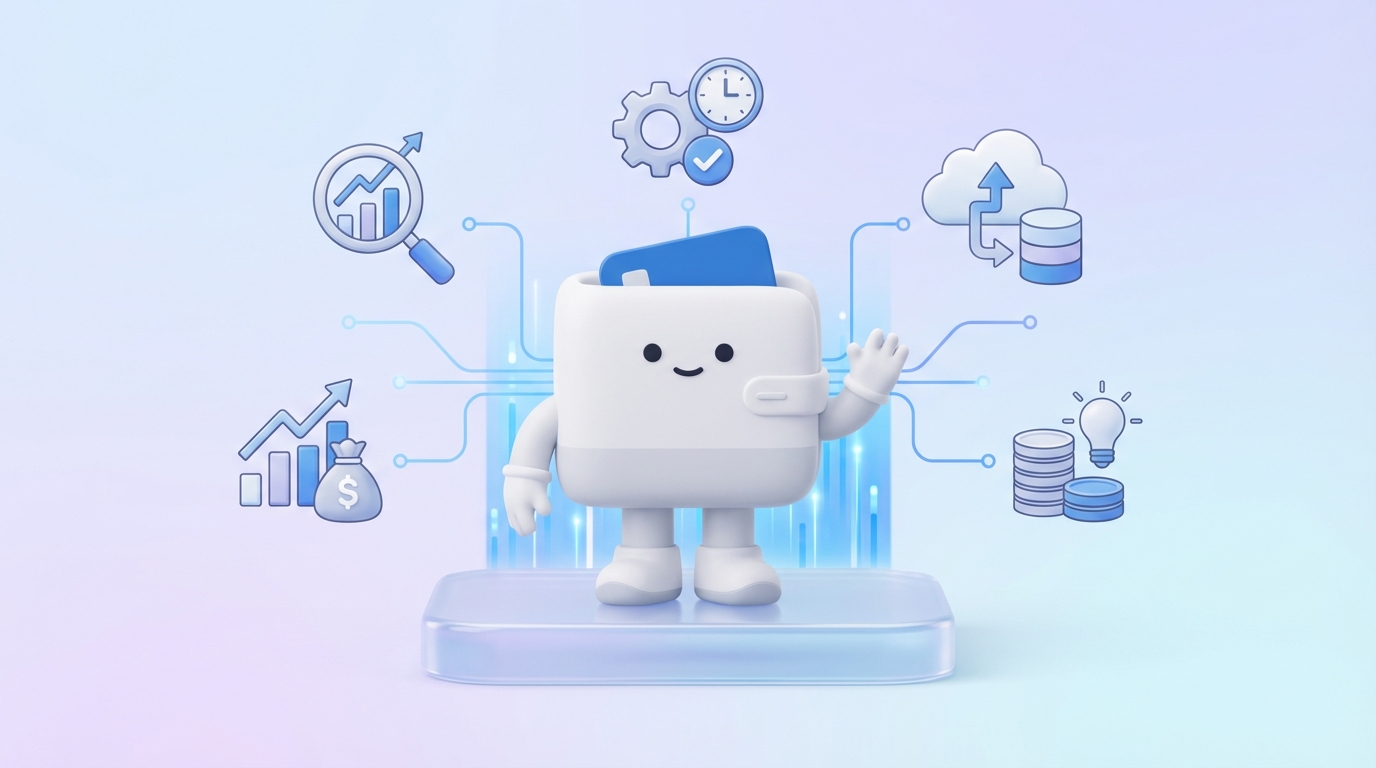
Integrating revenue tracking with your accounting software offers a multitude of tangible benefits that impact every facet of a business, from day-to-day operations to long-term strategic planning. These advantages are crucial for businesses aiming to enhance efficiency, accuracy, and profitability in today's competitive landscape.
One of the most significant advantages of integrating revenue tracking is the dramatic improvement in data accuracy and the corresponding reduction in manual errors. When revenue data flows directly from sales channels (e.g., e-commerce platforms, CRM systems, POS terminals) into the accounting software, the risk of human error associated with manual data entry, transcription, or reconciliation is virtually eliminated. This means fewer typos, fewer omitted transactions, and a consistent application of accounting rules across all revenue streams. For instance, a sale recorded in an e-commerce system is automatically posted as revenue and a corresponding receivable in the accounting software, ensuring that the ledger accurately reflects the transaction without human intervention. This enhanced accuracy builds a strong foundation for reliable financial statements, ensuring that profitability, cash flow, and balance sheet figures are always dependable. Businesses can then confidently use these figures for internal decision-making, external reporting, and compliance purposes.
Integrated systems drastically streamline the entire financial reporting process. With all revenue data consolidated and accurately categorized within the accounting software, generating comprehensive financial reports becomes a much quicker and less labor-intensive task. Instead of pulling data from disparate sources and manually compiling it, reports like income statements, cash flow statements, and sales summaries can be generated at the click of a button, often in real-time. This efficiency is invaluable during peak reporting periods, such as month-end, quarter-end, or year-end closures. Furthermore, integrated tracking significantly aids in regulatory compliance. Accurate and easily accessible records are vital for tax preparation, audits, and meeting various industry-specific reporting requirements. The ability to quickly produce verifiable financial reports minimizes the stress and potential penalties associated with non-compliance, providing peace of mind to business owners and financial managers.
Real-time or near real-time revenue tracking provides an unparalleled view of a company's incoming funds, which is critical for effective cash flow management. By having immediate access to sales figures and payment statuses, businesses can accurately project their cash inflows and outflows. This capability allows for better planning regarding expenses, investments, and debt obligations. For example, if a business sees a sudden surge in sales, they can anticipate increased cash availability and make strategic decisions about inventory replenishment or expansion. Conversely, if revenue dips, they can quickly identify the trend and implement measures to conserve cash or adjust spending. Integrated data facilitates more accurate forecasting models, moving beyond historical averages to incorporate current performance. This proactive approach to cash flow prevents liquidity crises and supports sustainable growth.
The true power of integrated revenue tracking lies in its ability to transform raw data into actionable business insights. By connecting revenue directly to accounting, businesses can easily analyze performance across various dimensions: by product, by service, by customer segment, by region, or by sales channel. This granular visibility helps identify top-performing areas and underperforming ones, guiding strategic decisions. For instance, a company might discover that a particular product line, while generating high sales volume, has low profitability due to high associated costs, prompting a reevaluation of pricing or supply chain. Integration also allows for robust trend analysis, helping businesses understand seasonality, market shifts, and the effectiveness of marketing campaigns. Armed with these insights, leadership can make more informed decisions regarding product development, market entry, resource allocation, and overall business strategy, driving competitive advantage and long-term success.
The cumulative effect of enhanced accuracy, streamlined reporting, and improved insights directly translates into significant time and cost savings. Automating the flow of revenue data eliminates countless hours that would otherwise be spent on manual data entry, reconciliation, and error correction. This allows accounting and sales teams to focus on higher-value activities, such as financial analysis, strategic planning, and customer relationship building. Reduced errors mean fewer costly mistakes, fewer restatements of financial reports, and less potential for penalties due to incorrect filings. The operational efficiencies gained from integration contribute to a leaner, more agile financial operation. Over time, these savings in labor, reduced rework, and minimized compliance risks contribute directly to the bottom line, improving overall profitability and providing a strong return on investment for the integration effort.
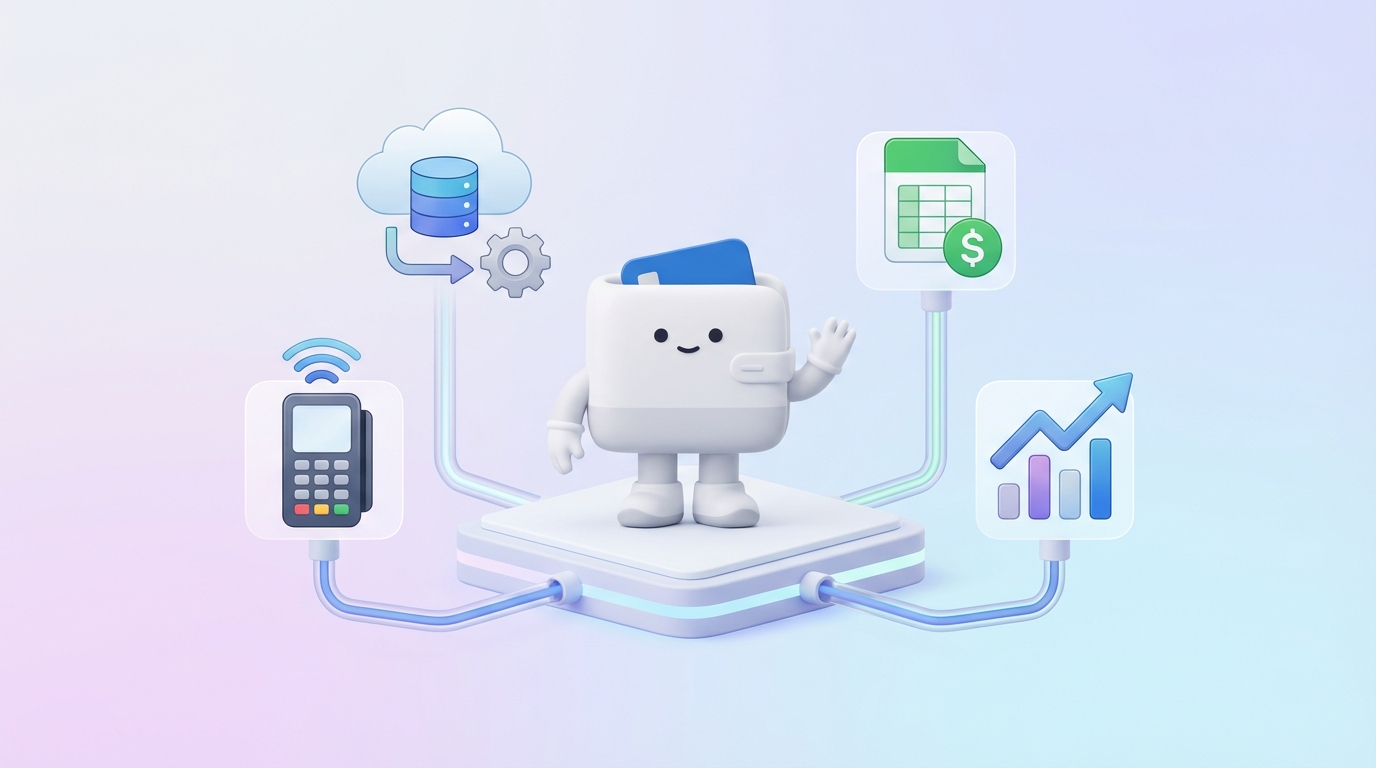
The technological landscape offers several approaches for businesses looking to integrate revenue tracking with their accounting software. The choice of method often depends on factors such as the complexity of operations, budget, technical expertise, and the specific software used.
Direct Application Programming Interface (API) integrations represent the most modern and often preferred method for connecting disparate software systems. An API acts as a bridge, allowing two distinct applications to communicate and exchange data in a structured way. For revenue tracking, this means that your CRM (e.g., Salesforce), e-commerce platform (e.g., Shopify), or payment gateway (e.g., Stripe) can directly send revenue transaction data to your accounting software (e.g., QuickBooks Online, Xero) without manual intervention. The primary advantage of direct API integrations is their ability to facilitate real-time or near real-time data synchronization, ensuring that your accounting records are always up-to-date. This method typically offers high reliability, customizability, and scalability. However, it often requires some technical expertise to set up and maintain, especially for complex data mapping or custom workflows. Many modern software providers offer well-documented APIs and pre-built connectors for popular accounting solutions, simplifying the process for common integrations.
For businesses that lack the technical resources for direct API development or manage multiple systems that need to communicate, third-party integration platforms—often referred to as connectors or middleware—offer a robust solution. Tools like Zapier, Workato, Integrately, or Boomi specialize in connecting various cloud-based applications, often without requiring extensive coding. These platforms act as an intermediary, sitting between your revenue-generating systems and your accounting software. They allow users to create "Zaps" or "recipes" that define rules for when and how data should flow from one application to another. For example, a Zap might be set up to automatically create an invoice in QuickBooks every time a new payment is received in Stripe. These platforms excel in ease of use, providing intuitive graphical interfaces for setting up integrations, and they support a vast ecosystem of applications. While they introduce an additional layer to the integration stack, they significantly lower the barrier to entry for complex integrations and are highly scalable for growing businesses with evolving needs.
Many contemporary accounting software suites come with a range of built-in integrations, particularly with other popular business applications. This is often the simplest form of integration to implement as it's designed and maintained by the software vendor itself. For example, QuickBooks Desktop and Online have direct integration capabilities with their own payment processing services (QuickBooks Payments) and often with popular CRM systems like Salesforce, or e-commerce platforms like Shopify, through their app marketplaces. Xero also boasts a vast app marketplace with pre-built connections to hundreds of business tools, including POS systems, inventory management, and payment gateways. These built-in integrations are typically user-friendly, well-supported by the software vendor, and designed to work seamlessly with the accounting system's data structures. The main limitation is that you are restricted to the integrations offered by your specific accounting software provider, which might not cover all niche or proprietary revenue-tracking systems your business uses.
The most basic and least efficient method of integrating revenue tracking is through manual data import/export, often involving spreadsheets (CSV files). In this scenario, revenue data is exported from one system (e.g., an e-commerce platform) into a CSV file, manipulated if necessary to match the accounting software's format, and then manually imported into the accounting system. While this method requires no technical expertise beyond basic spreadsheet skills and is virtually free of direct costs, its limitations are significant. It is highly labor-intensive, time-consuming, and extremely susceptible to errors, as discussed earlier. Data is rarely real-time, leading to delays in financial reporting and decision-making. Furthermore, the process is not scalable; as transaction volume increases, the burden of manual import/export becomes unsustainable, often leading to backlogs and inaccuracies. For businesses with high transaction volumes or a desire for real-time insights, this method is highly discouraged, serving only as a stop-gap for very small businesses with minimal activity or during initial testing phases of more sophisticated integrations.
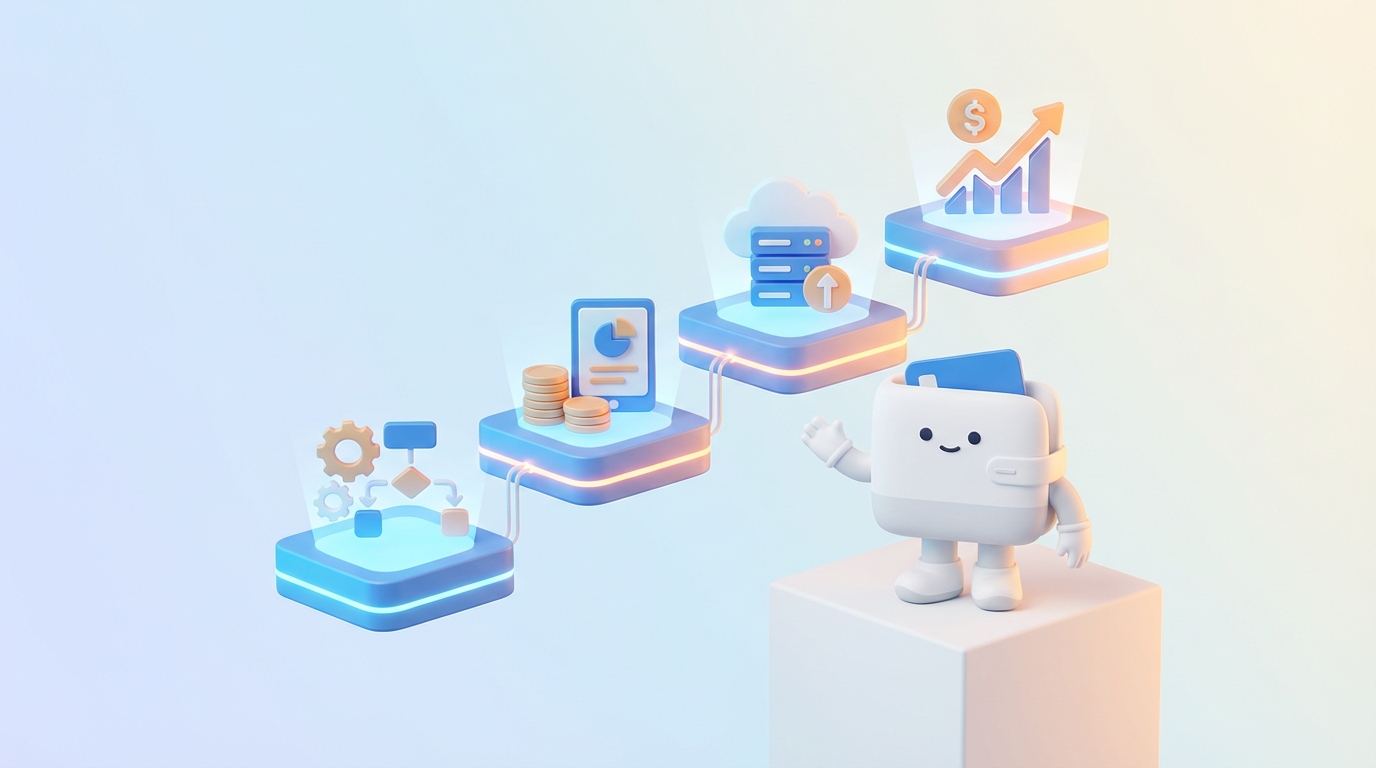
Successfully integrating revenue tracking with your accounting software requires a structured approach. Following these steps will help ensure a smooth transition and maximize the benefits of your integration efforts.
Before embarking on any integration project, it's crucial to thoroughly understand your current technological landscape and business requirements. Begin by documenting all the systems currently generating revenue data (e.g., CRM, e-commerce platform, POS, subscription billing software, payment gateways like Stripe or PayPal). For each system, identify the specific data points that need to be tracked for revenue, such as transaction ID, date, customer name, product/service sold, quantity, price, discount, tax, payment method, and settlement status. Simultaneously, assess your current accounting software's capabilities and limitations. What are its existing integration options? What level of detail does it require for revenue entries? Define your business needs and objectives for the integration: Are you aiming for real-time reporting, reduced manual entry, enhanced accuracy, or better cash flow forecasting? Clearly defined goals will guide your choices throughout the process. Involve stakeholders from finance, sales, and operations to ensure all perspectives are considered and buy-in is secured from the outset.
Once you have a clear picture of your systems, the next step is to pinpoint the exact revenue data points that are essential for your accounting and financial analysis. This goes beyond just the total revenue figure. Consider what information is needed for accurate general ledger entries, proper categorization, tax calculations, and insightful reporting. This might include:
Based on your assessment in Step 1 and the identified data points in Step 2, select the most appropriate integration method.
This is a critical technical step where you define how data from your revenue source system will translate and flow into your accounting software. Data mapping involves aligning fields from one system to another. For example, ensuring the 'total amount' field from your e-commerce platform maps correctly to the 'revenue' or 'sales' general ledger account in your accounting software. You'll also need to establish rules for:
Never skip this step. Before going live, rigorously test the integration to ensure data flows accurately and as expected.
Once testing is complete and satisfactory, deploy the integration to your live production environment. Implementation is not the end of the journey; ongoing monitoring and maintenance are crucial for long-term success.

The ability to integrate with other business applications is a key differentiator for modern accounting software. Most popular platforms offer robust integration capabilities, often through extensive app marketplaces or direct API access.
QuickBooks, by Intuit, is arguably the most widely used accounting software for small and medium-sized businesses. Both QuickBooks Desktop and QuickBooks Online (QBO) offer extensive integration capabilities crucial for revenue tracking. QBO, being cloud-based, typically provides a more seamless and real-time integration experience. It boasts a vast Apps Center with hundreds of pre-built integrations for popular e-commerce platforms like Shopify, Magento, and BigCommerce, as well as CRM systems like Salesforce, payment gateways such as Stripe and PayPal, and POS systems. These integrations allow for automated syncing of sales receipts, invoices, customer data, and payment information directly into QuickBooks. For example, a sale made on Shopify can automatically create a sales receipt and update inventory in QBO. QuickBooks also offers its own payment processing solution, QuickBooks Payments, which integrates natively, simplifying reconciliation. Users can leverage the QuickBooks API for custom integrations, providing flexibility for unique business needs or proprietary systems. The strength of QuickBooks lies in its broad ecosystem and user-friendly interface for setting up and managing these connections.
Xero is another leading cloud-based accounting software, particularly popular among small businesses and startups globally, known for its intuitive design and strong emphasis on collaboration. Xero's ecosystem is built around a philosophy of seamless integration, offering an extensive App Marketplace with thousands of connected apps. This includes popular e-commerce platforms, POS systems (e.g., Square, Vend), CRM tools (e.g., HubSpot), and payment gateways (e.g., Stripe, PayPal, GoCardless). Xero's integrations are designed to automate the flow of financial data, from daily sales transactions to bank feeds, ensuring that revenue data is accurately captured and categorized. For instance, transactions from a POS system can automatically generate sales invoices or cash receipts in Xero, often with detailed line items and customer information. Xero also provides a well-documented API, allowing developers to create custom solutions for businesses with specific integration requirements. The focus on automation and a rich app ecosystem makes Xero an excellent choice for businesses looking to centralize their financial data and streamline revenue tracking processes.
Sage offers a diverse portfolio of accounting and business management software, ranging from Sage 50 for small businesses to Sage 300, Sage Intacct, and Sage X3 for medium to large enterprises. Sage's integration capabilities vary across its product line, but generally, the more enterprise-focused solutions offer robust and flexible integration options. Sage Intacct, a cloud-based financial management platform, is particularly strong in its ability to integrate with other best-of-breed solutions through its open API and pre-built connectors. It commonly integrates with CRM systems like Salesforce, various industry-specific operational systems, and payment processors to provide a comprehensive view of revenue. For larger organizations, these integrations are critical for consolidating data from multiple business units, geographies, or specialized operational systems. Sage's enterprise solutions often support complex data mapping and workflow automation, essential for handling high transaction volumes and intricate revenue recognition rules. While these integrations may require more technical expertise to set up, they provide the power and flexibility needed by larger organizations to manage their complex financial landscapes.
Zoho Books is part of the broader Zoho suite of business applications, offering a comprehensive cloud-based accounting solution for small and growing businesses. Its strength lies in its deep integration with other Zoho products, such as Zoho CRM, Zoho Inventory, Zoho Subscriptions, and Zoho Invoice. This allows for an exceptionally seamless flow of revenue data within the Zoho ecosystem. For example, a deal closed in Zoho CRM can automatically generate an invoice in Zoho Books, and subscription payments managed by Zoho Subscriptions are directly recorded. Beyond its internal ecosystem, Zoho Books also offers integrations with popular third-party payment gateways (e.g., Stripe, PayPal), banks, and other business apps, though its marketplace might not be as extensive as QuickBooks or Xero. Other cloud-based accounting solutions like FreshBooks and Wave Accounting also provide integration capabilities, often focusing on solopreneurs and freelancers. FreshBooks excels in invoicing and time tracking, integrating with payment processors and project management tools. Wave Accounting offers free accounting software with integrations primarily for bank accounts and payment processing. The common thread among these cloud-based solutions is their commitment to simplifying revenue tracking through automation and connectivity, often catering to specific business segments with tailored integration offerings.
While the benefits of integrating revenue tracking are significant, businesses often encounter various challenges during the implementation and ongoing management of these systems. Proactive planning and strategic solutions can help overcome these hurdles.
One of the most frequent challenges is dealing with data inconsistencies and duplication across different systems. This can arise from varying data formats, different naming conventions (e.g., "customer ID" in one system vs. "client_ID" in another), or simply from human error prior to integration. When data is inconsistent, the integrated system may fail to match records, leading to duplicate entries (e.g., the same customer appearing twice) or incorrect aggregation of revenue. Solution:
Integrating systems often means sharing sensitive financial and customer data across platforms, raising significant security and data privacy concerns. Businesses must protect against unauthorized access, data breaches, and ensure compliance with regulations like GDPR or CCPA. Solution:
Setting up and maintaining integrations, especially complex API-based ones, often requires specific technical skills that internal teams may lack. This can lead to delays, incorrect setups, or an inability to troubleshoot issues effectively. Solution:
The upfront and ongoing costs associated with integration can be a significant barrier. This includes software licenses, development costs (for custom integrations), consulting fees, and ongoing maintenance. Solution:
Relying heavily on a single vendor for integration can lead to vendor lock-in, making it difficult and costly to switch providers later. Additionally, an integration solution that works for current transaction volumes may not scale effectively as the business grows. Solution:
Achieving a truly seamless and effective revenue tracking integration requires more than just technical setup; it demands a strategic, collaborative, and ongoing commitment. Adhering to these best practices will significantly increase your chances of long-term success.
Before writing a single line of code or configuring any connector, establish a clear strategy. What specific business problems are you trying to solve with this integration? Is it to reduce manual data entry, improve reporting speed, enhance cash flow visibility, or something else? Define quantifiable goals (e.g., "reduce manual data entry time by 50%", "improve accuracy of sales tax reporting to 99%"). A well-defined strategy and measurable goals will serve as your compass, guiding decisions, prioritizing efforts, and providing a benchmark for evaluating the integration's success. Without clear objectives, integration projects can quickly become unfocused, costly, and fail to deliver expected value. This strategic clarity ensures alignment across all teams and justifies the investment in time and resources.
Integration projects are rarely purely technical; they impact multiple departments. Involve representatives from finance, sales, marketing, operations, and IT from the very beginning. Finance teams understand the accounting rules, reporting requirements, and the chart of accounts. Sales and marketing teams provide insight into how revenue data is generated and what information is crucial for their performance metrics. Operations teams understand the workflow and potential bottlenecks. IT teams offer technical expertise and ensure security. Early involvement fosters buy-in, facilitates accurate requirements gathering, helps anticipate potential issues, and ensures that the final solution meets the needs of all users. This collaborative approach minimizes resistance to change and maximizes the likelihood of widespread adoption and satisfaction with the integrated system.
Revenue data is highly sensitive, comprising financial transactions and often personal customer information. Therefore, data security and compliance must be paramount throughout the integration process. This includes ensuring data is encrypted both in transit and at rest, implementing robust access controls, and selecting vendors with strong security protocols and certifications. Critically, understand and comply with relevant data privacy regulations such as GDPR, CCPA, PCI DSS (for credit card data), and industry-specific mandates. Conduct thorough security assessments and penetration testing, if appropriate. Document your security measures and data handling procedures to demonstrate compliance. Neglecting security can lead to costly data breaches, reputational damage, and severe legal penalties, far outweighing any benefits of integration.
Integration is not a "set it and forget it" task. Regular audits and reviews are essential to ensure the integration continues to function correctly and accurately over time. Schedule periodic checks to verify that data is flowing as expected, records are matching correctly, and there are no discrepancies between the source systems and the accounting software. This might involve spot-checking transactions, reconciling key accounts, and reviewing error logs. Establish a clear process for identifying, reporting, and resolving any issues that arise. Regular reviews also provide an opportunity to assess whether the integration still meets evolving business needs and to identify areas for optimization or expansion. Proactive auditing helps catch minor issues before they escalate into major problems, maintaining data integrity and system reliability.
Comprehensive documentation of your integration setup, data mapping rules, configuration settings, and troubleshooting procedures is indispensable. This documentation serves as a vital reference for ongoing maintenance, future modifications, and onboarding new team members. It reduces reliance on institutional knowledge held by a few individuals. Equally important is providing thorough training to all relevant team members—finance, sales, and IT—on how to use, monitor, and troubleshoot the integrated systems. Training should cover not just the technical aspects but also the business impact of the integration, ensuring everyone understands their role in maintaining data accuracy and system health. Well-trained staff are more efficient, less prone to errors, and better equipped to identify and resolve issues quickly, contributing to the overall success of the integration.
While many businesses can manage basic integrations internally, complex scenarios—such as integrating multiple disparate systems, handling high transaction volumes, custom API development, or navigating intricate data transformation rules—often benefit from expert assistance. Don't hesitate to engage external consultants, integration specialists, or your software vendors' professional services teams when faced with challenges beyond your internal capabilities. Experts can provide invaluable guidance, accelerate implementation, ensure best practices are followed, and help troubleshoot complex issues efficiently. The cost of expert help is often justified by avoiding costly errors, ensuring a robust and scalable solution, and freeing up internal resources to focus on core business activities. A willingness to seek and leverage specialized expertise is a hallmark of successful integration projects.
The landscape of financial technology is continuously evolving, and revenue tracking integration is no exception. Emerging technologies are poised to make these processes even more intelligent, automated, and predictive.
Artificial Intelligence (AI) and Machine Learning (ML) are rapidly transforming financial automation, including revenue tracking and accounting integration. AI-powered algorithms can already automate many repetitive tasks that previously required human intervention, such as categorization of transactions, reconciliation of bank statements, and even initial revenue recognition based on complex rules. ML models can learn from historical data to identify patterns in revenue streams, flag anomalies (e.g., unusual sales fluctuations, potential fraud), and suggest optimal accounting treatments. For integration, AI can enhance data mapping by intelligently recognizing and suggesting field alignments between disparate systems, reducing manual configuration effort. It can also improve data quality by identifying and correcting inconsistencies or missing information before it enters the accounting system. The future will see more sophisticated AI agents capable of understanding natural language queries, allowing finance professionals to ask complex questions about revenue performance and receive instant, insightful answers, further streamlining analysis and reporting.
The trend towards real-time data analytics is accelerating, moving beyond historical reporting to providing instantaneous insights into a company's financial health. Integrated revenue tracking, powered by advanced analytics, will offer dashboards that update in real-time, showing current sales performance, pending payments, and projected revenue for the day, week, or month. This immediate visibility will empower businesses to make agile decisions, such as adjusting marketing campaigns based on live sales data or managing inventory levels in response to current demand. Beyond real-time, the integration of ML will enable increasingly accurate predictive insights. By analyzing vast amounts of integrated data—including historical sales, market trends, economic indicators, and even weather patterns—ML algorithms can forecast future revenue with greater precision. This predictive capability will be invaluable for budgeting, strategic planning, cash flow management, and identifying potential risks or opportunities well in advance. The future of revenue tracking integration lies in its ability to not only collect and process data efficiently but to transform it into foresight, guiding businesses toward more informed and proactive financial strategies.
Seamlessly integrating revenue tracking with your accounting software is no longer a mere option but a strategic imperative for any business aiming for financial accuracy, operational efficiency, and sustainable growth. This comprehensive guide has explored the fundamental importance of such integration, highlighting how it eliminates manual errors, streamlines financial reporting, and dramatically improves cash flow management and strategic decision-making. We've delved into various integration methods, from modern API connections and versatile third-party platforms to the limitations of manual processes, offering a clear path to choosing the right approach for your unique needs. The step-by-step guide provided actionable insights for successful implementation, emphasizing the critical role of assessment, data mapping, thorough testing, and ongoing maintenance.
Furthermore, understanding the integration capabilities of popular accounting software like QuickBooks, Xero, and Sage, alongside proactive strategies for overcoming common challenges such as data inconsistencies and security concerns, equips businesses to navigate the integration landscape effectively. By adhering to best practices—like starting with a clear strategy, involving all stakeholders, prioritizing security, and conducting regular audits—companies can ensure their integrated systems remain robust, accurate, and valuable over the long term. Looking ahead, the evolving capabilities of AI, machine learning, and real-time analytics promise an even more intelligent and predictive future for financial integration, transforming raw data into actionable foresight.
Embracing integrated revenue tracking empowers your business with a single source of truth for all financial data, fostering transparency, compliance, and unparalleled insights. By connecting your revenue streams directly to your financial records, you unlock the potential for more precise forecasting, smarter resource allocation, and ultimately, a stronger, more resilient financial foundation. Invest in integration today to maximize your financial efficiency and gain the competitive edge needed to thrive in tomorrow's dynamic business environment.
Written by
Founder & CEO
Sharing knowledge on personal finance, budget management, and investment strategies to help you achieve financial freedom.

