
13 min read
'%3e%3cg%20clip-path='url(%23b6dc094121)'%3e%3cpath%20fill='%230066cc'%20d='M%2012.707031%205.710938%20L%2012.707031%2035.761719%20L%2037.007812%2035.761719%20L%2037.007812%205.710938%20Z%20M%2012.707031%205.710938%20'%20fill-opacity='1'%20fill-rule='nonzero'/%3e%3c/g%3e%3c/g%3e%3cg%20clip-path='url(%23cd2e57bbdf)'%3e%3cg%20clip-path='url(%23cc31bb2a50)'%3e%3cpath%20fill='%230066cc'%20d='M%2026.734375%201.035156%20L%2026.734375%2035.761719%20L%2036.882812%2035.761719%20L%2036.882812%201.035156%20Z%20M%2026.734375%201.035156%20'%20fill-opacity='1'%20fill-rule='nonzero'/%3e%3c/g%3e%3c/g%3e%3cg%20clip-path='url(%23ab469c456a)'%3e%3cg%20clip-path='url(%23fb318aa8dc)'%3e%3cpath%20fill='%230066cc'%20d='M%200.0546875%201.035156%20L%200.0546875%2035.761719%20L%2010.203125%2035.761719%20L%2010.203125%201.035156%20Z%20M%200.0546875%201.035156%20'%20fill-opacity='1'%20fill-rule='nonzero'/%3e%3c/g%3e%3c/g%3e%3cg%20clip-path='url(%238fe1ac7b9f)'%3e%3cg%20clip-path='url(%23f68e7172d0)'%3e%3cpath%20fill='%230066cc'%20d='M%200%205.710938%20L%200%2035.761719%20L%2024.269531%2035.761719%20L%2024.269531%205.710938%20Z%20M%200%205.710938%20'%20fill-opacity='1'%20fill-rule='nonzero'/%3e%3c/g%3e%3c/g%3e%3c/svg%3e)
Are your financial records scattered across multiple bank accounts, credit card statements, and endless receipts? Centralizing your income and expense data is not just about organization; it's about gaining unparalleled clarity, saving time, and making smarter financial decisions. This comprehensive guide will walk you through the essential steps, tools, and best practices to bring all your financial information into one cohesive system.

Yağız Gürbüz
Founder & CEO


🎧 En iyi deneyim için kulaklık kullanmanızı öneririz
Are your financial records scattered across multiple bank accounts, credit card statements, and endless receipts? Centralizing your income and expense data is not just about organization; it's about gaining unparalleled clarity, saving time, and making smarter financial decisions. This comprehensive guide will walk you through the essential steps, tools, and best practices to bring all your financial information into one cohesive system.

Centralizing financial data refers to the process of consolidating all your income and expense information from various sources into a single, unified system. In today's complex financial landscape, it's all too common for individuals and businesses to find their financial information fragmented. Income might come from a primary job, a freelance gig, or investments, while expenses are spread across different bank accounts, multiple credit cards, cash payments, and a myriad of digital and physical receipts.
This dispersion creates a significant challenge. Imagine trying to get a clear picture of your cash flow when you have to log into three different bank accounts, two credit card portals, and then sift through a shoebox full of receipts just to understand where your money went last month. This lack of a single source of truth makes budgeting difficult, tax preparation a nightmare, and strategic financial planning nearly impossible. The common problem isn't just about disorganization; it's about the lost opportunity to make informed decisions and the significant time wasted on manual aggregation.
Successfully centralizing this data means transforming a chaotic collection of information into an organized, accessible, and actionable financial overview. It's about moving from a reactive state of tracking where your money went to a proactive state of understanding where it's going and how to optimize its flow. By solving the problem of scattered data, you unlock a powerful tool for financial management, regardless of whether you're managing personal finances or running a complex business operation.

The benefits of bringing all your financial data into one centralized system are profound, touching almost every aspect of financial management. From day-to-day spending to long-term strategic planning, consolidation provides a clearer, more efficient path.
With all your income and expenses in one place, you gain an immediate, holistic view of your financial situation. This means no more guessing games about your total cash on hand across all accounts or how much debt you've accrued. For individuals, this might mean seeing your checking, savings, investment, and credit card balances together on a single dashboard. For businesses, it translates to a unified ledger that shows all incoming revenue streams and outgoing operational costs, allowing for better management of working capital and identification of potential bottlenecks.
Accurate budgeting relies on complete data. When you can clearly see all your income sources and every expense category, you can create realistic budgets that reflect your actual spending habits. This makes it easier to identify areas where you can save, allocate funds more effectively, and track your progress against financial goals. For businesses, centralized data enables more precise financial forecasting, helping to predict future cash flows, plan for investments, or anticipate lean periods, which is crucial for strategic business planning and resource allocation.
Tax season is often a stressful time, largely due to the scramble for relevant financial documents. Centralized income and expense data dramatically simplifies this process. All your deductible expenses, taxable income, and relevant financial transactions are already categorized and accessible, making it easier to generate reports for your accountant or file your taxes directly. This reduces the risk of missing deductions or making errors, potentially saving you money and avoiding audit triggers. Businesses can generate profit and loss statements, balance sheets, and other required reports with ease, ensuring compliance and efficiency.
Imagine the hours spent logging into multiple accounts, downloading statements, and manually entering data into spreadsheets. Centralization, especially with automated tools, eliminates much of this tedious work. Once set up, many systems automatically pull data, categorize transactions, and provide real-time updates. This frees up significant time that can be redirected towards more productive activities, whether it's focusing on growing your business, pursuing personal interests, or engaging in more insightful financial analysis rather than mere data entry.
Financial decisions, whether personal or professional, are only as good as the information they're based on. Centralized data provides a robust foundation for making informed choices. Should you take on that new loan? Can your business afford to hire another employee? Is it the right time to invest in a new piece of equipment? With a clear, up-to-date picture of your financial health, you can assess risks, evaluate opportunities, and choose the path that best aligns with your long-term objectives and financial capacity.
Manual data entry is inherently prone to errors. Typos, forgotten transactions, and incorrect categorizations are common when dealing with disparate systems. Centralized systems, particularly those with automation and reconciliation features, significantly reduce the potential for human error. Automatic data feeds ensure that transactions are recorded as they happen, and built-in reconciliation tools help identify discrepancies quickly, leading to more accurate financial records and greater confidence in your financial reports.

Before diving into specific methods or tools, establishing foundational principles is crucial for building a successful and sustainable system for centralizing your financial data. Adhering to these guidelines ensures consistency, accuracy, and security.
One of the most critical principles for effective centralization is maintaining absolute consistency. This applies to how data is entered, what information is recorded, and especially how transactions are categorized. For instance, if you categorize "Starbucks" as "Coffee" one day and "Food & Dining" the next, your reports will be inconsistent and unreliable. Establish a clear, logical chart of accounts or category list from the outset and stick to it. If multiple people are entering data (in a business context), ensure everyone understands and follows the same rules and guidelines. This consistency is the backbone of accurate reporting and meaningful analysis.
Centralization isn't a one-time setup; it's an ongoing process. To keep your financial picture current and accurate, you must commit to regular data import and reconciliation. Whether you're manually entering transactions daily, weekly, or importing bank feeds, consistency is key. Reconciliation involves comparing your recorded transactions against actual bank or credit card statements to ensure everything matches up. This process helps catch errors, identify missing transactions, and confirm the accuracy of your records. Regular reconciliation, ideally monthly, is non-negotiable for maintaining data integrity.
Financial data is highly sensitive, making security a paramount concern. When centralizing, ensure that the chosen method or tool employs robust security measures, including encryption, multi-factor authentication, and secure servers. Understand who has access to your data and what their privacy policies are. Equally important is implementing a consistent data backup strategy. Whether your data is stored locally or in the cloud, having regular backups protects you against data loss due due to system failures, human error, or cyber incidents. Never rely on a single copy of your financial records.
While the goal is to centralize, it's also important to decide on the appropriate level of detail you need to capture. Over-categorizing or recording excessive minutiae can lead to complexity and overwhelm, making the system difficult to maintain. Conversely, insufficient detail might hinder your ability to gain meaningful insights. For example, knowing that "Travel" is an expense category is good, but for better budgeting, you might need sub-categories like "Flights," "Accommodation," and "Local Transport." Find a balance that provides enough granularity for effective decision-making without creating unnecessary burden. This balance will often evolve as your financial needs change.
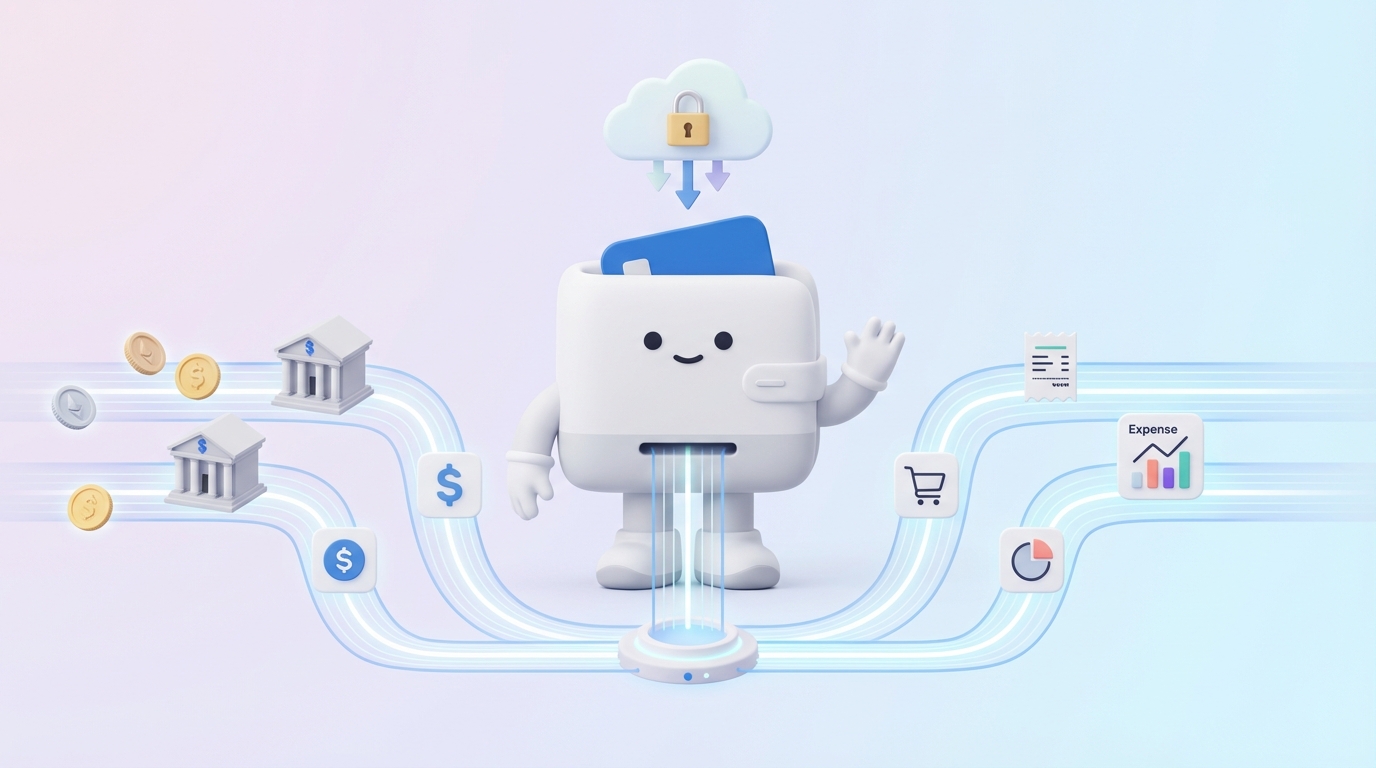
The approach you choose for centralizing your financial data will largely depend on your specific needs, the complexity of your finances, your budget, and your technical comfort level. Here's an overview of common methods, ranging from simple to comprehensive.
Description: This is arguably the most basic and accessible method. You create a spreadsheet (using Microsoft Excel, Google Sheets, LibreOffice Calc, etc.) with columns for date, description, category, income/expense, amount, and account. You then manually input every transaction, often downloading statements from various financial institutions and typing the data in. Pros: Free (or low cost if you already own office software), highly customizable, full control over categories and layout, good for learning financial tracking fundamentals. Cons: Extremely time-consuming, prone to human error, lacks automation, difficult to scale, no direct bank feeds or advanced reporting features. Ideal Use Case: Individuals or very small businesses with a limited number of transactions and a tight budget, or those who prefer a hands-on approach and want to deeply understand every transaction.
Description: These applications are specifically designed for individual and household budgeting. They often connect directly to bank accounts, credit cards, and investment portfolios to automatically import and categorize transactions. Examples: Mint, YNAB (You Need A Budget), Personal Capital, Quicken. Pros: Automation of data import, real-time balances, robust budgeting tools, expense tracking and categorization, net worth tracking, often includes investment tracking. Cons: Monthly or annual subscription fees (for many), learning curve, reliance on third-party security for bank connections, less suitable for complex business accounting. Ideal Use Case: Individuals and families looking for comprehensive financial oversight, budgeting, debt management, and investment tracking without the complexities of business accounting.
Description: These platforms are built to manage the financial operations of small to medium-sized businesses. They go beyond simple income/expense tracking to include features like invoicing, payroll integration, vendor management, and advanced financial reporting. Examples: QuickBooks Online, Xero, FreshBooks, Wave Accounting (free tier available). Pros: Designed for business needs, automates bank feeds and reconciliation, robust reporting (P&L, Balance Sheet), integrates with other business tools, simplifies tax preparation for businesses. Cons: Higher subscription costs than personal finance tools, steeper learning curve, may have features redundant for purely personal use. Ideal Use Case: Small businesses, freelancers, and independent contractors who need to track business income and expenses, manage clients, process invoices, and generate professional financial statements.
Description: ERP systems are integrated software suites that manage all core business processes, including finance, HR, manufacturing, supply chain, and more. Financial modules within an ERP centralize all monetary transactions across the entire organization. Examples: SAP, Oracle NetSuite, Microsoft Dynamics 365. Pros: Unparalleled integration across all business functions, real-time data, comprehensive reporting, highly scalable for large organizations, enforces standardized processes. Cons: Extremely expensive, complex implementation and maintenance, significant training required, overkill for small businesses and individuals. Ideal Use Case: Large enterprises and complex organizations that need a fully integrated system to manage all aspects of their operations, including finance.
Description: These tools specialize in pulling data from multiple financial institutions into a single dashboard, often focusing on providing a snapshot of overall financial health rather than deep budgeting. Some personal finance software falls into this category, but dedicated aggregators might focus more on investments or overall net worth. Examples: Personal Capital (also a personal finance tool), Empower (formerly Personal Capital). Pros: Excellent for seeing your total net worth and asset allocation across all accounts, often free, simple interface, provides high-level insights. Cons: Less robust for detailed budgeting and expense categorization compared to dedicated budgeting apps, sometimes limited in transaction history depth. Ideal Use Case: Individuals primarily interested in tracking their net worth, investment performance, and overall financial portfolio rather than granular day-to-day spending.
Description: For highly specific or complex needs, some individuals or businesses might opt for custom-built solutions or integrate various tools using APIs (Application Programming Interfaces) or middleware platforms (like Zapier, Make.com). This could involve connecting a custom database to bank feeds or linking a CRM to an accounting package. Pros: Tailored precisely to unique requirements, maximum flexibility, can integrate disparate systems that don't natively connect. Cons: High development and maintenance costs, requires technical expertise, can be complex to manage, potential for integration issues. Ideal Use Case: Businesses with highly specialized financial workflows, unique reporting needs, or those with existing legacy systems that need to be integrated into a modern financial hub.
Embarking on the journey of financial data centralization can seem daunting, but by breaking it down into manageable steps, you can create a robust and efficient system. Here's an actionable roadmap:
Before you start, clarify what you want to achieve. Are you aiming for better personal budgeting, simplified tax preparation for your small business, or comprehensive net worth tracking? How many accounts do you need to centralize? What types of data are most important to you (e.g., income, expenses, investments, debts)? Clearly defining your goals will help you choose the right tools and maintain focus throughout the process. For example, if your primary goal is to cut down on discretionary spending, your focus will be heavily on expense categorization and budgeting features.
This is a critical information-gathering phase. List every single source of income and every place where you incur expenses. This includes:
Based on your goals (Step 1) and the complexity of your financial landscape (Step 2), select the most appropriate method or software from the options discussed previously (spreadsheets, personal finance software, business accounting software, etc.). Consider factors like cost, ease of use, automation capabilities, security features, and scalability. Many tools offer free trials, allowing you to test them out before committing. Don't be afraid to experiment with one or two options to see which interface and features best suit your preferences.
This is where consistency begins. Create a clear, logical, and comprehensive list of categories for both income and expenses. If you're using accounting software, this is often called a "Chart of Accounts." For personal finances, a simpler list will suffice. Examples include "Rent/Mortgage," "Utilities," "Groceries," "Transportation," "Salary," "Freelance Income." Avoid vague categories. If you're unsure, look at common categories provided by popular finance apps or accounting standards. Ensure there's a clear place for every type of transaction you identified in Step 2. This step is crucial for accurate reporting and meaningful analysis.
To gain a full picture, you'll need to bring in past transactions. Most software allows you to connect to your financial institutions and import several months or even a year of historical data automatically. For older data or institutions that don't support direct feeds, you might need to download transaction history in CSV or QFX format and import it, or manually enter it if using a spreadsheet. Start with a manageable period (e.g., the last 3-6 months) and then extend further if needed for tax purposes or long-term analysis. As you import, categorize each transaction according to your standardized list from Step 4.
This is where the real time-saving begins. Connect your bank accounts, credit cards, and other financial institutions directly to your chosen software. Most dedicated finance tools offer secure connections that automatically pull in new transactions as they occur. Configure rules or set up automatic categorization where possible. For instance, you might set a rule that all transactions from "Chevron" are categorized as "Fuel" or "Transportation." If you're using a business accounting platform, integrate it with your payment processors, payroll service, and CRM where appropriate.
Centralization isn't a "set it and forget it" task. Schedule regular times (weekly for active users, monthly for most) to review new transactions, ensure they are correctly categorized, and reconcile your accounts. Reconciliation means comparing the balance in your software with the actual balance on your bank statement. This catches errors, missed transactions, or fraudulent activity early. This step is vital for maintaining the accuracy and integrity of your centralized data.
If you're implementing a centralized system for a small business or a household with multiple contributors, ensure everyone who needs to interact with the system is properly trained. This includes understanding the categorization rules, how to enter manual transactions (if necessary), how to approve automated entries, and how to access reports. Consistent training minimizes errors and ensures the system's longevity and effectiveness.
Once you've centralized your financial data, ongoing maintenance is key to ensuring its accuracy, security, and usefulness over time. Adopting these best practices will help you maximize the benefits of your consolidated system.
Your financial life isn't static, and neither should your categories be. Periodically review your income and expense categories to ensure they still accurately reflect your financial activities and analytical needs. As your life or business evolves, you might need to add new categories (e.g., a new hobby expense, a new revenue stream) or refine existing ones. For instance, if "Shopping" becomes too broad, you might break it down into "Clothing," "Electronics," and "Home Goods." Regular review ensures your data remains relevant and provides granular insights.
As emphasized earlier, reconciliation is paramount. Make it a non-negotiable part of your financial routine. For most individuals and small businesses, monthly reconciliation is ideal. For larger or less active accounts, quarterly might suffice. This process involves comparing the transactions recorded in your centralized system against your official bank and credit card statements. It helps identify discrepancies, catch missed transactions, and detect potential fraud. A reconciled account provides confidence in your financial reports and ensures accuracy.
Protecting your sensitive financial data is critical. Always use strong, unique passwords for your centralized financial software and for all connected bank and credit card accounts. Enable multi-factor authentication (MFA) wherever possible. Be wary of phishing attempts and only access your financial data on secure networks. If using cloud-based software, ensure the provider has robust security protocols, including data encryption and regular security audits. Regularly review who has access to your financial software, especially in a business context, and remove access for former employees.
Leverage the automation features of your chosen software. Set up automatic bank and credit card feeds to import transactions automatically. Create rules for automatic categorization based on vendors or transaction descriptions. Automate recurring transactions like loan payments or subscription services. The more you automate routine tasks, the less manual effort is required, reducing the chances of error and freeing up your time for more analytical tasks. Automation is a cornerstone of efficiency in centralized data management.
Even with cloud-based solutions, having your own backup strategy is wise. While most reputable cloud services offer their own backups, having an additional, independent backup provides an extra layer of security against unforeseen circumstances. If your software allows it, regularly export your data (e.g., to a CSV or QFX file) and store it securely offline or in a separate cloud storage service. For spreadsheet-based systems, ensure you're saving copies regularly to a cloud drive (like Google Drive or Dropbox) with version history, or to an external hard drive.
Don't hesitate to consult with financial professionals when you encounter complex situations. If you're a business owner, an accountant or bookkeeper can help you set up your chart of accounts correctly, advise on tax implications, and ensure compliance. For personal finances, a financial advisor can help you interpret your centralized data to make better investment or budgeting decisions. Professionals can provide guidance that ensures your centralized system is not just organized but also strategically aligned with your financial goals and legal requirements.
While centralizing financial data offers significant advantages, the process isn't without its hurdles. Anticipating these challenges and having strategies to overcome them will ensure a smoother transition and long-term success.
Challenge: Setting up a centralized system, especially importing historical data and standardizing categories, requires a significant upfront time commitment. There's also a learning curve associated with mastering new software or a new methodology. Overcome: Break down the setup into smaller, manageable tasks. Dedicate specific blocks of time each day or week to work on it rather than trying to do everything at once. Utilize tutorials, help documentation, and community forums for your chosen software. Remember that the initial investment will pay dividends in long-term time savings and clarity. Start with a smaller scope if needed, like just the last 3-6 months of data, and gradually expand.
Challenge: When importing data from various sources, you might encounter inconsistencies in transaction descriptions, duplicate entries, or errors from manual input. Different banks might label similar transactions differently, making categorization tricky. Overcome: Implement strict categorization rules from the start (Step 4 of the guide). Leverage your software's features to merge duplicate transactions and create rules for consistent categorization based on keywords or vendors. Regular reconciliation (Step 7) is your primary defense against errors. If using manual entry, double-check every entry. Be patient and persistent; identifying and correcting these early on will prevent larger issues later.
Challenge: Whether it's you, family members, or employees, there can be resistance to adopting a new financial system, especially if they are comfortable with existing (even if inefficient) methods. Overcome: Highlight the benefits of the new system from the outset, focusing on time savings, reduced stress, and improved clarity. Involve key stakeholders in the decision-making process where appropriate. Provide clear training and ongoing support. Start with a pilot group if it's a business implementation. Emphasize that the goal is to make financial management easier, not harder, and demonstrate how it achieves that.
Challenge: With a plethora of options available, selecting the most suitable software or method can be overwhelming. Choosing the wrong tool can lead to frustration and wasted effort. Overcome: Revisit Step 1: Define Your Goals and Scope. This is critical. Make a list of your non-negotiable features (e.g., bank feed automation, specific reports, investment tracking) and your nice-to-haves. Read reviews, watch demo videos, and take advantage of free trials. Don't be swayed by features you don't need. Consider your technical comfort level and budget. If still unsure, consult with an accountant or financial planner for tailored recommendations.
Challenge: Entrusting all your financial data to a single platform, especially a cloud-based one, raises legitimate concerns about data breaches, privacy, and who has access to your sensitive information. Overcome: Prioritize security when choosing a tool. Look for providers with strong encryption, multi-factor authentication, and a clear, transparent privacy policy. Understand how your data is used and protected. Use strong, unique passwords for all financial accounts. Be vigilant about phishing scams. While no system is 100% immune, choosing reputable providers and following best practices for personal cybersecurity significantly mitigates risks. For highly sensitive business data, consider on-premise solutions or custom, highly secure cloud environments, although these come with higher costs and complexity.
Centralizing your income and expense data is more than just an organizational task; it's a transformative step towards achieving unparalleled financial clarity, control, and peace of mind. By bringing all your disparate financial information into a single, cohesive system, you unlock a powerful ability to see your entire financial picture at a glance, enabling smarter decisions, more effective budgeting, and significantly reduced stress during tax season. From enhanced visibility and improved forecasting to substantial time savings and increased accuracy, the benefits permeate every aspect of your financial life, whether personal or professional.
The journey may involve an initial investment of time and a learning curve, and you might encounter challenges like data inconsistencies or resistance to change. However, by adhering to key principles such as consistent categorization, regular reconciliation, and robust security measures, and by selecting the right tools for your unique needs, you can overcome these hurdles successfully. The methods range from simple spreadsheets for basic needs to sophisticated ERP systems for complex enterprises, ensuring there's a solution tailored for everyone.
Ultimately, a centralized financial system is not just about tracking where your money goes; it's about understanding your financial landscape deeply, empowering you to make informed choices that align with your goals, and paving the way for sustained financial well-being. Take action today to consolidate your financial data and unlock a new level of financial mastery.
Written by
Founder & CEO
Sharing knowledge on personal finance, budget management, and investment strategies to help you achieve financial freedom.

