
13 min read
'%3e%3cg%20clip-path='url(%23b6dc094121)'%3e%3cpath%20fill='%230066cc'%20d='M%2012.707031%205.710938%20L%2012.707031%2035.761719%20L%2037.007812%2035.761719%20L%2037.007812%205.710938%20Z%20M%2012.707031%205.710938%20'%20fill-opacity='1'%20fill-rule='nonzero'/%3e%3c/g%3e%3c/g%3e%3cg%20clip-path='url(%23cd2e57bbdf)'%3e%3cg%20clip-path='url(%23cc31bb2a50)'%3e%3cpath%20fill='%230066cc'%20d='M%2026.734375%201.035156%20L%2026.734375%2035.761719%20L%2036.882812%2035.761719%20L%2036.882812%201.035156%20Z%20M%2026.734375%201.035156%20'%20fill-opacity='1'%20fill-rule='nonzero'/%3e%3c/g%3e%3c/g%3e%3cg%20clip-path='url(%23ab469c456a)'%3e%3cg%20clip-path='url(%23fb318aa8dc)'%3e%3cpath%20fill='%230066cc'%20d='M%200.0546875%201.035156%20L%200.0546875%2035.761719%20L%2010.203125%2035.761719%20L%2010.203125%201.035156%20Z%20M%200.0546875%201.035156%20'%20fill-opacity='1'%20fill-rule='nonzero'/%3e%3c/g%3e%3c/g%3e%3cg%20clip-path='url(%238fe1ac7b9f)'%3e%3cg%20clip-path='url(%23f68e7172d0)'%3e%3cpath%20fill='%230066cc'%20d='M%200%205.710938%20L%200%2035.761719%20L%2024.269531%2035.761719%20L%2024.269531%205.710938%20Z%20M%200%205.710938%20'%20fill-opacity='1'%20fill-rule='nonzero'/%3e%3c/g%3e%3c/g%3e%3c/svg%3e)
Managing finances as a freelancer can be complex, from tracking variable income to categorizing expenses and preparing for taxes. The right financial tracking tool can transform this challenge into a streamlined process, saving you time and stress. This comprehensive guide will help you discover the

Yağız Gürbüz
Founder & CEO


🎧 En iyi deneyim için kulaklık kullanmanızı öneririz
Managing finances as a freelancer can be complex, from tracking variable income to categorizing expenses and preparing for taxes. The right financial tracking tool can transform this challenge into a streamlined process, saving you time and stress. This comprehensive guide will help you discover the best options available to keep your freelance finances organized and on track, empowering you to make smarter financial decisions.
For many, the allure of freelancing lies in its freedom and flexibility. However, this independence comes with significant financial responsibilities that traditional employees rarely face. Without a clear system, freelancers often find themselves overwhelmed by the sheer volume of transactions, the uncertainty of future income, and the looming threat of tax season. Effective financial tracking isn't just about knowing how much money you have; it's about understanding your business's health, making informed decisions, and ensuring long-term sustainability.
Ignoring financial tracking can lead to severe consequences, from missed tax deductions to cash flow crises. It's a foundational element of running a successful freelance business, providing clarity and control over your hard-earned money. By proactively tracking income and expenses, freelancers can gain peace of mind and focus more on their core work, rather than stressing over financial unknowns.
Freelancers operate in a unique financial landscape, distinct from that of a salaried employee. The most significant difference is the variable nature of income. One month might be booming, while the next could be slow, making budgeting and cash flow management a constant balancing act. Furthermore, freelancers are responsible for their entire tax burden, including self-employment taxes (Social Security and Medicare), which are typically split between employer and employee in traditional jobs. This means a larger percentage of gross income needs to be set aside for taxes.
Beyond income, freelancers also lack employer-sponsored benefits such as health insurance, retirement plans, and paid time off. These must be budgeted for and managed independently, adding another layer of financial complexity. Every business expense, from software subscriptions to home office deductions, needs to be meticulously tracked to maximize legitimate write-offs and reduce taxable income. Without a robust tracking system, these unique challenges can quickly lead to financial disarray and missed opportunities to save money.
Tax time can be particularly daunting for freelancers. Unlike employees who have taxes withheld from each paycheck, freelancers are generally responsible for paying estimated taxes quarterly. Failing to do so, or underpaying, can result in penalties. Moreover, the complexity of self-employment taxes, deductible business expenses, and various tax forms (like Schedule C) can be overwhelming without proper records.
Accurate financial tracking is your best defense against tax surprises. By categorizing every income stream and expense throughout the year, you can easily generate the necessary reports for tax preparation. This not only helps you identify all eligible deductions, potentially lowering your tax bill, but also ensures you're setting aside enough money to meet your tax obligations. With a good system, you can approach tax season with confidence, knowing your records are in order and your financial liabilities are accounted for, thus avoiding stressful last-minute scrambles and potential IRS penalties.
Beyond tax compliance, financial tracking empowers freelancers with invaluable insights into their business's performance. It allows you to see where your money is coming from, where it's going, and which clients or projects are most profitable. This level of detail is crucial for making strategic decisions, such as adjusting pricing, identifying wasteful spending, or understanding cash flow patterns.
With a clear overview of your finances, you can forecast future income and expenses, set realistic financial goals, and create a sustainable budget. This proactive approach helps prevent cash flow shortages and allows you to invest back into your business strategically. Ultimately, gaining financial control means you're not just reacting to your money; you're actively managing it to achieve your personal and professional aspirations, turning financial stress into a source of empowerment and growth for your freelance venture.
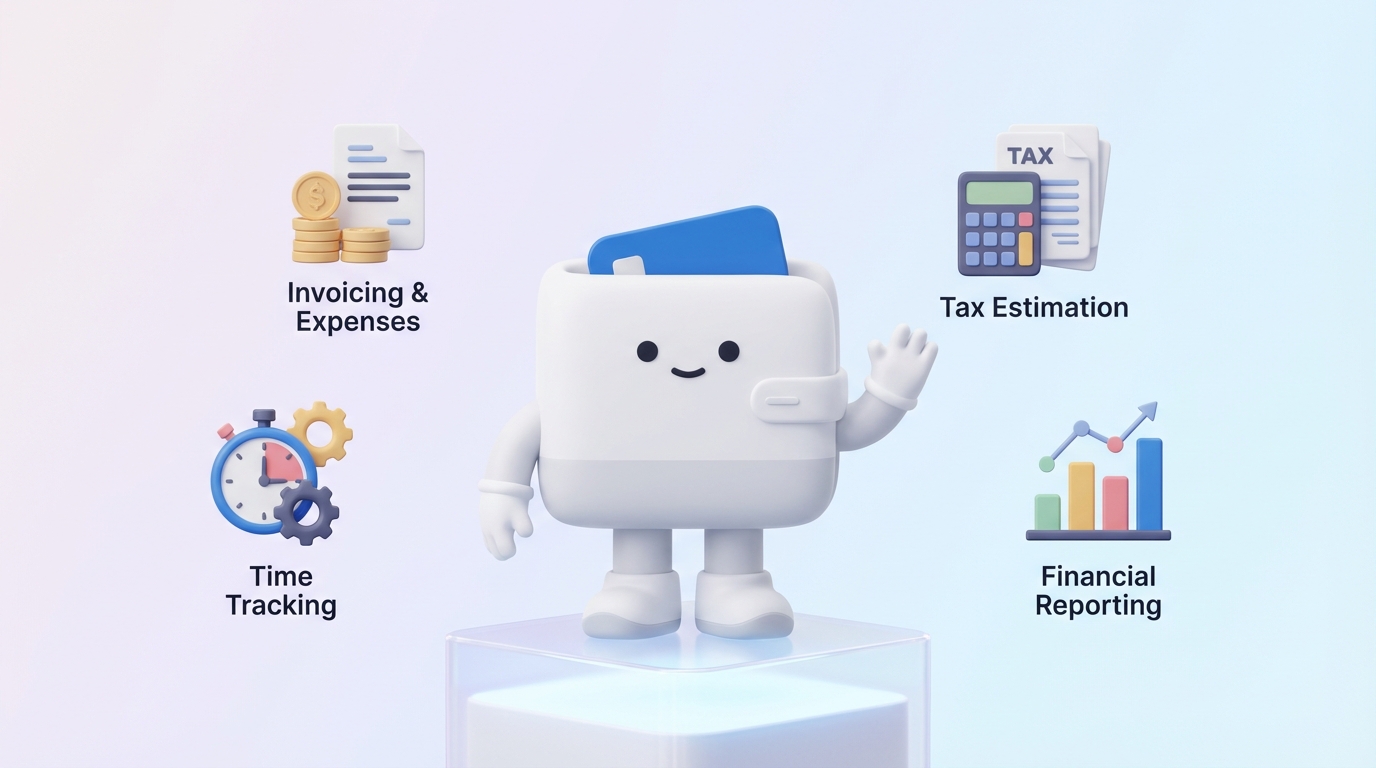
When selecting a financial tracking tool, freelancers need a solution that caters specifically to their unique operational structure. The ideal tool should simplify complex tasks, automate repetitive processes, and provide clear insights. Here are the essential features to prioritize:
This is arguably the most fundamental feature. Freelancers incur numerous business expenses, from software subscriptions and office supplies to professional development and client lunches. A good tool will allow you to easily log these expenses, ideally by snapping a photo of a receipt with your phone. More importantly, it should offer robust categorization options, either automatically through bank feeds or manually, allowing you to assign expenses to appropriate tax categories (e.g., "Office Supplies," "Marketing," "Professional Development"). This granular categorization is vital for maximizing tax deductions and understanding where your money is truly going.
Tracking incoming payments is just as crucial as tracking expenses. The best tools will allow you to record payments received, link them to specific projects or clients, and monitor outstanding invoices. Many comprehensive tools also include invoicing capabilities, enabling you to create professional invoices, send them directly to clients, and track their payment status. Some even offer payment reminders and integrate with online payment processors, streamlining the entire payment collection process and improving cash flow.
Given the complexities of self-employment taxes, a tool that offers tax-specific features is a huge advantage. Look for functionalities that help estimate quarterly tax payments based on your income and expenses, reminding you when payments are due. Even better are tools that can generate reports tailored for tax preparation, such as Schedule C summaries, making it easier to hand over to an accountant or file yourself. This feature significantly reduces the stress and potential for errors during tax season.
Raw data is only useful if it can be transformed into actionable insights. A robust financial tracking tool should offer various customizable reports, such as profit and loss statements, cash flow reports, and expense breakdown reports. These analytics help you understand your financial health, identify trends, spot areas for improvement, and make informed business decisions. Visual dashboards with key metrics are also highly beneficial for a quick overview of your financial standing.
Manual data entry is time-consuming and prone to errors. Tools that securely integrate with your bank accounts and credit cards can automatically import transactions, significantly simplifying expense and income tracking. This automation allows for quick categorization and reconciliation, saving hours of administrative work and ensuring that all transactions are captured accurately. Ensure the integration is secure and reliable.
No matter how many features a tool boasts, it's useless if it's too complicated to navigate. An intuitive interface, clear dashboards, and easy-to-understand workflows are paramount. Furthermore, as freelancers are often on the go, robust mobile apps for both iOS and Android are essential. A good mobile app allows you to track expenses on the spot, send invoices from your phone, and check your financial status anytime, anywhere.
While not strictly a financial tracking feature, integrated time tracking can be incredibly valuable for freelancers who bill by the hour or project. Tools that combine time tracking with invoicing allow you to easily log hours spent on client work and automatically convert those hours into billable line items on an invoice. This streamlines the billing process and ensures you're accurately compensated for all your work, directly impacting your income tracking.

The market offers a diverse range of financial tracking tools, each with its strengths and ideal user base. Here’s a detailed look at some of the most prominent options for freelancers:
Overview: QuickBooks Self-Employed is Intuit's dedicated offering for freelancers and independent contractors, designed to simplify tax preparation and expense tracking. It's tailored to solo entrepreneurs who need to separate business and personal finances, track deductions, and estimate quarterly taxes.
Core Features: Automatic expense tracking by connecting bank accounts, categorizing transactions, mileage tracking, invoicing, payment processing, estimated quarterly tax calculations, and easy export to TurboTax for seamless tax filing.
Pros: Excellent for tax preparation, strong mileage tracking, robust bank integration, and a very user-friendly interface. It's a powerful tool for those primarily focused on optimizing tax deductions.
Cons: Can be more expensive than some basic options, invoicing features are not as comprehensive as dedicated accounting software, and it's less suited for freelancers with employees or complex inventory needs.
Ideal User: Freelancers, independent contractors, and sole proprietors whose primary concern is simplifying tax preparation and expense categorization, especially those already using TurboTax.
Pricing: Starts around $15-$25/month, often with promotional discounts for the first few months. A 30-day free trial is usually available.
Overview: FreshBooks is a cloud-based accounting software specifically designed for small business owners and freelancers. It excels in invoicing and time tracking, making it popular among service-based professionals.
Core Features: Professional invoicing with customization options, expense tracking, time tracking, project management, client management, payment processing, basic reporting, and proposals.
Pros: Superb invoicing features, excellent time tracking integration, intuitive interface, strong customer support, and robust client communication tools.
Cons: More expensive than some basic expense trackers, reporting can be less detailed than full-fledged accounting software like QuickBooks Online (not Self-Employed), and it might be overkill for freelancers with very simple needs.
Ideal User: Freelancers and small businesses who need robust invoicing, time tracking, and client management features, especially those in creative fields, consulting, or any service-based industry.
Pricing: Lite plan starts around $15/month for 5 billable clients, Plus plan at $25/month for 50 billable clients, and Premium at $50/month for unlimited clients. Offers a 30-day free trial.
Overview: Wave Accounting is a popular choice for freelancers and very small businesses primarily because it offers a significant suite of its accounting features for free. It’s a comprehensive tool for managing income and expenses.
Core Features: Free accounting software including income and expense tracking, invoicing, receipt scanning, basic reporting, and bank account reconciliation. Paid services include payroll, payment processing, and bookkeeping support.
Pros: Completely free for its core accounting, invoicing, and receipt scanning features, making it incredibly budget-friendly. User-friendly interface and good for basic financial management.
Cons: Customer support can be limited for free users. Its integrations are not as extensive as paid alternatives, and reporting features are less advanced. Some users find the mobile app less robust.
Ideal User: Budget-conscious freelancers, very small businesses, and those who need solid, free accounting and invoicing without advanced features or extensive integrations.
Pricing: Core accounting, invoicing, and receipt scanning are free. Payment processing incurs transaction fees (e.g., 2.9% + $0.30 for credit card transactions). Payroll services start at $20-$35/month plus per-employee fees.
Overview: HoneyBook is an all-in-one business management platform designed for creative entrepreneurs and service-based businesses. While not solely a financial tracking tool, it integrates financial aspects deeply into its workflow.
Core Features: Proposals, contracts, invoicing, client management (CRM), payment processing, scheduling, project management, and automated workflows. It handles the entire client lifecycle from inquiry to payment.
Pros: Streamlines the entire client process, excellent for managing projects and client communications, integrates invoicing and payments seamlessly, and offers professional templates for proposals and contracts.
Cons: More expensive than dedicated accounting tools, might be overkill for freelancers who only need basic expense tracking, and its core focus is not on detailed tax categorization or advanced financial reporting.
Ideal User: Creative freelancers (photographers, designers, coaches, consultants) who manage multiple clients and projects and need an integrated solution for proposals, contracts, invoicing, and client communication.
Pricing: Starts around $39/month (billed annually) or $49/month (billed monthly), often with a discounted first year. A 7-day free trial is available.
Overview: Bonsai is an all-in-one platform built specifically for freelancers and self-employed professionals, encompassing everything from proposals and contracts to time tracking and invoicing, with integrated expense management.
Core Features: Proposals, contracts, invoicing, time tracking, task management, expense tracking, accounting features (like profit and loss reports), client CRM, and tax planning tools.
Pros: Comprehensive suite tailored for freelancers, excellent integration between all features, intuitive interface, strong contract management, and helps with tax estimates.
Cons: Can be more expensive than basic accounting software, might be too feature-rich for freelancers with minimal needs, and some advanced accounting features are less developed than dedicated solutions.
Ideal User: Freelancers looking for a complete business management suite that handles contracts, proposals, projects, time, invoicing, and basic accounting, streamlining their entire workflow.
Pricing: Starter plan begins at $24/month (billed annually) or $29/month (billed monthly). Offers a 14-day free trial.
Overview: YNAB is a powerful budgeting app that follows a "zero-based budgeting" philosophy, meaning every dollar is assigned a job. While not traditional accounting software, it's exceptional for managing cash flow and personal/business budgets.
Core Features: Zero-based budgeting, bank syncing, goal tracking, detailed spending reports, and mobile access. It focuses on helping you understand where your money is going and planning for future expenses.
Pros: Excellent for proactive budgeting and cash flow management, helps prevent overspending, encourages saving for irregular expenses (like taxes), and has a dedicated community and educational resources.
Cons: Requires a learning curve to fully embrace the zero-based budgeting method. It's a budgeting tool, not full-fledged accounting software, so it lacks invoicing, robust tax categorization specific to business deductions, or client management features.
Ideal User: Freelancers who struggle with budgeting, managing variable income, and saving for large or irregular expenses (including taxes). It's best used in conjunction with a separate tool for invoicing and detailed business expense tracking.
Pricing: Approximately $14.99/month or $98.99/year. Offers a 34-day free trial.
Overview: Mint, an Intuit product, is a popular free personal finance app that helps users track spending, create budgets, and monitor investments. While primarily personal, many freelancers use it for basic financial oversight.
Core Features: Bank and credit card syncing, expense categorization, budget creation, bill tracking, credit score monitoring, and investment tracking.
Pros: Free to use, comprehensive overview of all financial accounts in one place, good for basic budgeting and spending insights, and user-friendly interface.
Cons: Primarily a personal finance tool, so it lacks dedicated business features like invoicing, advanced tax categorization for business deductions, or detailed profit and loss reports. Ads can be intrusive.
Ideal User: Freelancers with very simple financial needs who want a free tool to track overall spending and create basic budgets, potentially separating business and personal accounts within Mint or using it alongside a dedicated business tool.
Pricing: Free.
Overview: Personal Capital is a financial dashboard that aggregates all your financial accounts (bank, credit, investments) to provide a holistic view of your net worth and investment performance. It also offers financial advisory services.
Core Features: Net worth tracking, investment analysis, cash flow analysis, budgeting tools, and retirement planning. Free financial dashboard, with paid advisory services.
Pros: Excellent for high-level financial overview, especially for tracking investments and net worth. Good for long-term financial planning and understanding overall financial health. Free dashboard is powerful.
Cons: Not designed for detailed business expense tracking, invoicing, or tax preparation for freelancers. Its budgeting features are less granular than dedicated budgeting apps. Primarily geared towards investment management.
Ideal User: Freelancers who have significant investments or complex personal finances and want a comprehensive overview of their net worth and long-term financial goals, using it in conjunction with a business-specific tool.
Pricing: Free for the financial dashboard tools. Advisory services start for clients with $100,000+ in investable assets, with fees typically around 0.89% of assets under management.

Choosing the perfect financial tracking tool depends heavily on your specific needs, the complexity of your freelance business, and your budget. Here's a comparative summary to help you decide:
For freelancers who want to streamline their entire client workflow, from proposals and contracts to project management, time tracking, invoicing, and basic accounting, Bonsai and HoneyBook are top contenders. Bonsai is perhaps slightly more focused on the entire freelance business lifecycle, while HoneyBook shines for creative service providers who value client experience and elegant proposals. These tools excel at integrating multiple functions, reducing the need for separate apps.
If your primary need is straightforward expense categorization and income tracking without complex invoicing or project management, QuickBooks Self-Employed is an excellent choice, especially if tax preparation is a major concern. For a completely free option that still offers solid expense and invoicing capabilities, Wave Accounting is unparalleled. Mint can also work for very basic personal finance tracking that might extend to simple business transactions, but it lacks dedicated business features.
QuickBooks Self-Employed stands out in this category due to its direct integration with TurboTax, robust mileage tracking, and estimated tax calculations. It's built from the ground up to help freelancers navigate their unique tax situation, making quarterly payments and annual filing significantly easier. Bonsai also offers useful tax planning tools within its comprehensive suite.
The clear winner for the best free option for freelancers is Wave Accounting. It provides robust accounting, invoicing, and receipt scanning features at no cost, which is exceptional value. While other tools like Mint and Personal Capital offer free tiers, they are primarily personal finance tools and lack the business-specific functionalities found in Wave.
For freelancers who struggle with variable income and need a disciplined approach to budgeting, saving for taxes, and planning for future expenses, YNAB (You Need A Budget) is highly recommended. Its zero-based budgeting methodology helps you take control of your cash flow. While not a business accounting tool, its budgeting prowess makes it an invaluable companion for managing the personal side of freelance finances, which often intertwines with business income.
Here's a quick comparison table for a snapshot view:
| Tool | Core Strength | Key Features for Freelancers | Pricing (Approx.) | Ideal User |
|---|---|---|---|---|
| QuickBooks Self-Employed | Tax Optimization & Expense Tracking | Auto expense/mileage tracking, estimated taxes, invoicing, TurboTax export. | $15-$25/month | Tax-focused freelancers, TurboTax users. |
| FreshBooks | Invoicing & Time Tracking | Professional invoices, time tracking, project management, client CRM. | $15-$50/month | Service-based freelancers needing strong invoicing. |
| Wave Accounting | Free Accounting & Invoicing | Free accounting, invoicing, receipt scanning, basic reporting. | Free (paid payroll/payments) | Budget-conscious freelancers, simple needs. |
| HoneyBook | Client & Project Workflow | Proposals, contracts, invoicing, scheduling, client CRM, automation. | $39-$49/month | Creative freelancers, consultants, service providers. |
| Bonsai | All-in-One Freelance Suite | Proposals, contracts, invoicing, time tracking, expense tracking, tax tools. | $24-$29/month | Freelancers wanting a complete business management platform. |
| YNAB | Proactive Budgeting | Zero-based budgeting, goal tracking, cash flow management. | $14.99/month or $98.99/year | Freelancers needing strong personal/business budgeting discipline. |
| Mint | Free Personal Finance Overview | Bank syncing, basic budgeting, spending categorization, bill tracking. | Free | Freelancers with very simple, mostly personal, financial needs. |
| Personal Capital | Net Worth & Investment Tracking | Aggregated accounts, net worth, investment analysis, retirement planning. | Free (paid advisory) | Freelancers with investments, focusing on long-term wealth. |
Ultimately, the best tool is the one you will actually use consistently. Consider trying free trials where available to get a feel for the interface and features before committing to a subscription.

Having the right tool is only half the battle; establishing consistent financial habits is equally important. Here are actionable tips to ensure your financial tracking is effective and stress-free:
This is perhaps the most crucial tip for any freelancer. Open a separate bank account and credit card solely for your business income and expenses. This creates a clear distinction, making it significantly easier to track business deductions, reconcile accounts, and simplify tax preparation. Mingling funds complicates everything and can even raise red flags with the IRS.
Don't wait until the end of the month or, worse, the end of the year, to track your expenses. Make it a habit to log expenses as they occur. Use your chosen tool's mobile app to snap photos of receipts immediately after a purchase. Regular tracking prevents forgotten deductions, reduces the burden of backlog, and ensures accuracy. This diligence directly impacts your potential tax savings.
As a freelancer, taxes aren't withheld from your income. It's essential to proactively set aside a portion of every payment you receive for estimated taxes. A common recommendation is to set aside 25-35% of your gross income, depending on your income level and state taxes. Create a separate savings account for taxes and transfer money into it regularly. This prevents a large, unexpected tax bill and helps you meet your quarterly estimated tax obligations without stress.
Don't just track; analyze. Set aside time each month or quarter to review your profit and loss statements, cash flow reports, and expense breakdowns. This practice provides valuable insights into your business's health, helps identify spending trends, pinpoint areas for cost reduction, and evaluate the profitability of different projects or clients. Regular reviews empower you to make informed strategic decisions.
Leverage the automation features of your financial tracking tool. Connect your business bank accounts and credit cards to automatically import transactions. Set up recurring invoices for regular clients. Automate payment reminders. The more you can automate routine tasks, the less time you'll spend on administrative work, freeing you up to focus on income-generating activities.
While financial tracking tools simplify many aspects, they are not a substitute for professional advice. If your business grows in complexity, you're unsure about specific deductions, or need help with advanced tax planning, don't hesitate to consult a qualified accountant or financial advisor who specializes in small businesses or freelancers. Their expertise can save you money and ensure compliance, giving you peace of mind that your finances are in expert hands.
The journey of freelancing offers immense freedom and potential, but it also demands a disciplined approach to financial management. From navigating variable income and self-employment taxes to diligently tracking every business expense, the financial landscape for independent professionals can be complex. However, with the right tools and habits, this complexity can be transformed into clarity and control.
We've explored why robust financial tracking is non-negotiable for freelancers, the essential features to look for in a tool, and detailed reviews of top contenders like QuickBooks Self-Employed, FreshBooks, Wave Accounting, HoneyBook, Bonsai, YNAB, Mint, and Personal Capital. Each tool offers a unique blend of features designed to cater to different freelance needs, from comprehensive business management to focused tax preparation or budgeting.
The key takeaway is that an organized financial system is not just about compliance; it's about empowerment. It enables you to understand your profitability, make informed business decisions, forecast your cash flow, and ultimately achieve your financial goals. By separating business and personal finances, tracking expenses diligently, setting aside money for taxes, and regularly reviewing your financial health, you lay a solid foundation for sustainable freelance success.
Don't let financial uncertainty be a barrier to your freelance aspirations. Take the first step today: evaluate your specific needs, explore the options presented, and choose a financial tracking tool that aligns with your business and lifestyle. By embracing proactive financial management, you'll gain invaluable peace of mind, allowing you to focus on what you do best – delivering exceptional work to your clients and growing your thriving freelance career. Take control of your freelance finances and build a more secure and prosperous future.
Written by
Founder & CEO
Sharing knowledge on personal finance, budget management, and investment strategies to help you achieve financial freedom.

