13 min read
'%3e%3cg%20clip-path='url(%23b6dc094121)'%3e%3cpath%20fill='%230066cc'%20d='M%2012.707031%205.710938%20L%2012.707031%2035.761719%20L%2037.007812%2035.761719%20L%2037.007812%205.710938%20Z%20M%2012.707031%205.710938%20'%20fill-opacity='1'%20fill-rule='nonzero'/%3e%3c/g%3e%3c/g%3e%3cg%20clip-path='url(%23cd2e57bbdf)'%3e%3cg%20clip-path='url(%23cc31bb2a50)'%3e%3cpath%20fill='%230066cc'%20d='M%2026.734375%201.035156%20L%2026.734375%2035.761719%20L%2036.882812%2035.761719%20L%2036.882812%201.035156%20Z%20M%2026.734375%201.035156%20'%20fill-opacity='1'%20fill-rule='nonzero'/%3e%3c/g%3e%3c/g%3e%3cg%20clip-path='url(%23ab469c456a)'%3e%3cg%20clip-path='url(%23fb318aa8dc)'%3e%3cpath%20fill='%230066cc'%20d='M%200.0546875%201.035156%20L%200.0546875%2035.761719%20L%2010.203125%2035.761719%20L%2010.203125%201.035156%20Z%20M%200.0546875%201.035156%20'%20fill-opacity='1'%20fill-rule='nonzero'/%3e%3c/g%3e%3c/g%3e%3cg%20clip-path='url(%238fe1ac7b9f)'%3e%3cg%20clip-path='url(%23f68e7172d0)'%3e%3cpath%20fill='%230066cc'%20d='M%200%205.710938%20L%200%2035.761719%20L%2024.269531%2035.761719%20L%2024.269531%205.710938%20Z%20M%200%205.710938%20'%20fill-opacity='1'%20fill-rule='nonzero'/%3e%3c/g%3e%3c/g%3e%3c/svg%3e)
Managing your money effectively requires constant vigilance, and in today's multi-device world, seamless expense tracking across all your gadgets is essential. This comprehensive guide dives into the best apps designed to help you effortlessly monitor your spending, categorize transactions, and stay

Yağız Gürbüz
Founder & CEO


🎧 En iyi deneyim için kulaklık kullanmanızı öneririz
Managing your money effectively requires constant vigilance, and in today's multi-device world, seamless expense tracking across all your gadgets is essential. This comprehensive guide dives into the best apps designed to help you effortlessly monitor your spending, categorize transactions, and stay on top of your budget, no matter which device you're using. Discover the perfect tool to streamline your financial life.
In our increasingly connected lives, the ability to manage finances isn't confined to a single device. We switch between smartphones, tablets, laptops, and desktop computers throughout the day, often needing to access or update our financial records on the fly. Cross-device expense tracking is no longer a luxury but a fundamental necessity for anyone serious about maintaining a clear and accurate picture of their financial health. It ensures that regardless of where you are or what device you're using, your financial data is consistent, up-to-date, and readily available.
Imagine logging an expense on your phone after a coffee run, then later that evening reviewing your budget on your tablet, only to find the new transaction already reflected. This real-time synchronization prevents discrepancies, reduces manual data entry errors, and eliminates the frustration of having to duplicate efforts across different platforms. It streamlines your financial management, making it an integral part of your daily routine rather than a separate, cumbersome chore.
The modern financial landscape is characterized by digital transactions, diverse income streams, and a multitude of spending opportunities. From online subscriptions and digital payments to traditional bills and everyday purchases, money moves quickly and often without physical receipts. This complexity demands a robust tracking solution that can keep pace. Relying solely on a single device or manual spreadsheets often leads to incomplete data, forgotten expenses, and ultimately, a skewed understanding of one's financial position. A multi-device approach ensures you capture every financial event as it happens, fostering greater accuracy and control.
Furthermore, financial planning often involves discussions with partners or family members. A shared expense tracking system that works across multiple devices allows everyone involved to stay on the same page, view shared budgets, and contribute to the overall financial strategy. This collaborative aspect is crucial for household budgeting and achieving shared financial goals, reinforcing the importance of a synchronized system.
The advantages of multi-device synchronization in expense tracking are numerous and impactful. Firstly, it offers unparalleled convenience. You can log expenses while grocery shopping on your phone, categorize transactions during your commute on a tablet, or analyze detailed reports on your desktop at home. This flexibility means you're always in control, without being tied to a specific location or device.
Secondly, multi-device sync ensures real-time updates. As soon as you add a transaction or link a new bank account, the data is instantly accessible across all your logged-in devices. This real-time consistency is vital for accurate budgeting and preventing overspending, as your budget reflects your true current financial standing. Finally, it provides a crucial layer of data backup and accessibility. Should one device be lost or damaged, your financial data remains safe and accessible from another, offering peace of mind and continuity in your financial management efforts.
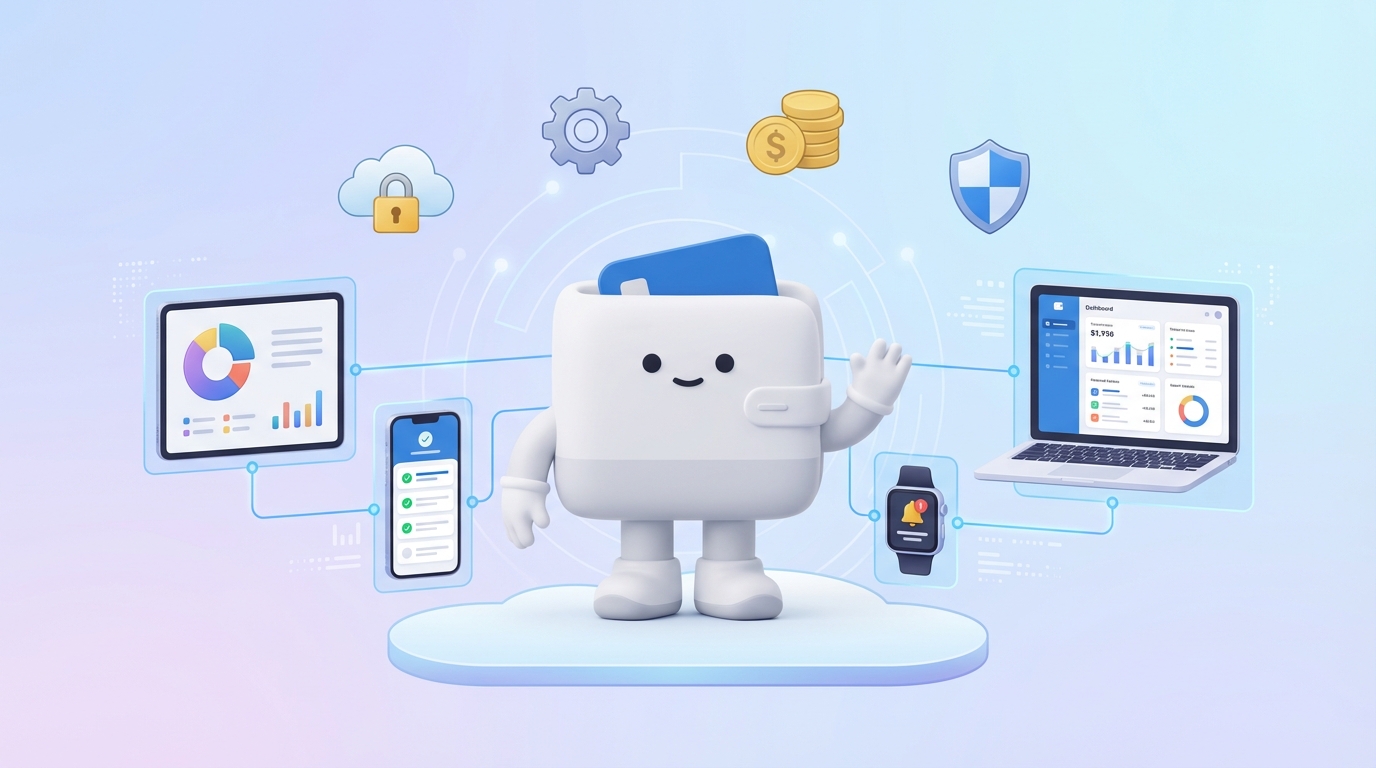
When selecting an expense tracking app that excels across multiple devices, certain features become paramount. Beyond basic transaction logging, a truly effective solution will offer a comprehensive suite of tools designed for seamless, secure, and insightful financial management, regardless of the platform you're using. Understanding these key features will help you choose an app that truly fits your lifestyle and financial goals.
It's not just about having an app on your phone and a website for your desktop; it's about how well they communicate, how consistent the user experience is, and the depth of functionality available on each. The best apps prioritize a cohesive and robust experience across all touchpoints, ensuring you never feel limited by the device you're currently using.
This is the cornerstone of any good cross-device tracker. Look for apps that offer instant, reliable cloud synchronization. Data entered on one device should appear immediately on others. The app should ideally support major operating systems (iOS, Android) and provide a robust web interface for desktop access. Offline capabilities are a bonus, allowing you to log expenses even without an internet connection, with data syncing once you're back online.
Beyond tracking, a great app helps you plan. Features like customizable budget categories, rollover budgets, spending limits, and goal tracking (e.g., saving for a down payment or vacation) are essential. The ability to view your budget's progress clearly across all devices helps you stay motivated and make informed spending decisions in real-time.
Manual data entry is time-consuming. Look for apps with OCR (Optical Character Recognition) receipt scanning that automatically extracts transaction details. Smart categorization, either automated or easily customizable, is also critical. The ability to attach photos of receipts to transactions, accessible from any device, ensures you have a complete record for returns, warranties, or tax purposes.
Automated transaction import from banks, credit cards, and investment accounts saves immense time and reduces errors. Ensure the app supports a wide range of financial institutions and offers secure, encrypted connections. The ability to manually add cash transactions is also important for a complete financial picture.
Understanding your spending habits is key to improving them. Robust reporting tools that offer visual breakdowns (charts, graphs) of spending by category, income vs. expenses, net worth, and trends over time are invaluable. These reports should be easy to generate, customize, and view clearly on screens of all sizes.
Since you're linking sensitive financial information, top-notch security is non-negotiable. Look for features like 256-bit encryption, multi-factor authentication (MFA), and a clear privacy policy that outlines how your data is used and protected. The app should ideally use read-only access to your bank accounts, meaning it cannot move money.
An intuitive, clean, and consistent user interface (UI) across all platforms makes the app a joy to use, encouraging regular engagement. The learning curve should be minimal, and navigating between sections, adding transactions, and reviewing data should be straightforward, whether you're on a small phone screen or a large desktop monitor.
The ability to export your data (e.g., to CSV, Excel, PDF) is crucial for record-keeping, tax preparation, or transferring data to other financial software. This ensures you always have ownership and access to your financial information, independent of the app itself.

Navigating the myriad of expense tracking applications available can be daunting. To help you make an informed decision, we've carefully selected a range of top-tier apps that excel in cross-device management, offering robust features, excellent user experiences, and reliable synchronization. Each app caters to slightly different needs and preferences, from detailed zero-based budgeting to simple spending overviews, ensuring there's a perfect fit for everyone.
In the following sections, we will delve into individual reviews, providing a comprehensive look at their key features, how well they perform in a multi-device environment, their pricing structures, and their respective pros and cons. Our goal is to equip you with all the necessary information to choose the best companion for your financial journey, allowing you to master your money from any device, at any time.

You Need A Budget, affectionately known as YNAB, is more than just an expense tracker; it's a comprehensive budgeting philosophy based on giving every dollar a job. Its unique approach helps users gain complete control over their money by planning every expenditure before it happens. YNAB focuses heavily on proactive money management, preventing overspending, and building a buffer for future expenses, making it a powerful tool for those committed to significant financial change.
While it has a steeper learning curve than some other apps, the rewards for embracing the YNAB method are substantial. Users often report a dramatic shift in their financial habits, leading to reduced debt, increased savings, and a clearer understanding of their true financial situation. Its robust set of features is designed to support this methodology every step of the way.
YNAB offers an exceptionally smooth and consistent cross-device experience. It provides dedicated apps for iOS and Android, along with a powerful web application accessible from any browser. All data syncs automatically and almost instantly via the cloud, ensuring your budget is always up-to-date across your phone, tablet, and desktop. The user interface maintains a similar look and feel across platforms, making it easy to transition between devices without confusion. Logging expenses on the go is simple with the mobile app, while detailed budget adjustments and report analysis are comfortable on the larger desktop interface.
YNAB operates on a subscription model. It offers a 34-day free trial, after which it costs approximately $14.99 per month or $99 for an annual subscription. While it's one of the more expensive options, many users find the value it provides in financial transformation far outweighs the cost.
YNAB is ideal for individuals or couples who are serious about taking control of their finances, getting out of debt, and building savings. It suits those who are willing to invest time in learning and applying a proven budgeting methodology, and who appreciate a robust, consistent experience across all their devices.

Mint, by Intuit, is arguably one of the most well-known free personal finance apps available. It offers a comprehensive overview of your financial life by aggregating data from various bank accounts, credit cards, investments, and loans. Mint's primary strength lies in its ability to present a holistic financial picture, helping users track spending, create budgets, and monitor their net worth with minimal manual input. It's designed to be a passive yet powerful tool for general financial awareness and basic budgeting.
While it offers a broad range of features without a direct cost to the user, it is supported by advertisements and offers for financial products, which is a common trade-off for free services. Despite this, Mint remains a popular choice for millions looking to get a birds-eye view of their money.
Mint offers a very good cross-device experience with robust apps for iOS and Android, as well as a fully functional web interface. Data synchronization is generally fast and reliable, ensuring your financial overview is consistent across all platforms. The mobile apps are excellent for quick checks and logging transactions on the go, while the web interface provides a more expansive view for detailed analysis of budgets, trends, and reports. The design is familiar across devices, making it easy to navigate regardless of which screen you're using. However, some users occasionally report minor syncing delays or connection issues with specific banks, though these are typically resolved.
Mint is free to use. Its revenue primarily comes from advertisements for financial products and services, which are often tailored based on your financial data (e.g., credit card offers, loan options).
Mint is ideal for individuals who want a free, high-level overview of their finances, including spending, budgeting, and net worth, across all their devices. It's great for those who prefer automated tracking and don't mind advertisements in exchange for a comprehensive suite of features. It's particularly useful for passively monitoring multiple accounts and getting alerts for unusual spending.
PocketGuard is designed with simplicity and clarity in mind, focusing on answering one fundamental question: "What can I safely spend?" It aggregates all your financial accounts – checking, savings, credit cards, and loans – and then calculates your "In My Pocket" amount, which is your disposable income after accounting for bills, savings goals, and everyday necessities. This straightforward approach makes it incredibly easy to understand your daily spending limits and avoid overspending, without getting bogged down in complex budgeting methods.
It's particularly appealing to those who find traditional budgeting overwhelming or who simply want a quick, actionable insight into how much money they have available without impacting their financial goals. PocketGuard aims to simplify money management into easily digestible information.
PocketGuard offers a solid cross-device experience with well-designed mobile apps for iOS and Android, complemented by a functional web application. The core "In My Pocket" feature and other key insights are consistently presented across all platforms, ensuring you get the same clear financial picture regardless of the device you're using. Synchronization is generally fast and reliable, keeping your data current. The mobile app excels for quick checks and transaction logging, while the web interface allows for a slightly more detailed review of budgets and reports. The emphasis on simplicity translates well to smaller screens, making it very user-friendly on the go.
PocketGuard offers both a free version with essential features (account aggregation, "In My Pocket," basic budgeting) and a premium subscription called PocketGuard Plus. The Plus version, typically around $7.99/month or $79.99/year, unlocks advanced features like debt payoff plans, custom categories, transaction export, and the ability to track cash. The free version is quite robust for basic needs.
PocketGuard is ideal for individuals who want a simple, clear, and actionable view of their disposable income. It's perfect for those who struggle with overspending and need a quick, easy way to see how much they can spend without jeopardizing their financial goals. It's also great for users who prefer a minimalist approach to budgeting across all their devices.
Simplifi by Quicken is Intuit's modern, cloud-based personal finance app designed for a new generation of users who want streamlined money management without the complexity often associated with Quicken's desktop software. It focuses on providing a real-time view of your spending, income, and overall financial health through intuitive dashboards and actionable insights. Simplifi excels at aggregating accounts, tracking spending, and helping users stay on top of their budget with minimal fuss, offering a fresh take on Quicken's legacy.
It stands out for its clean interface, robust reporting, and its ability to offer a comprehensive financial snapshot with intelligent recommendations. Simplifi aims to simplify the often-complex world of personal finance into an easy-to-digest format, making it accessible for daily use.
Simplifi offers an excellent cross-device experience. It features well-designed native apps for iOS and Android, along with a powerful and equally well-designed web application. The interface is remarkably consistent across all platforms, making navigation intuitive whether you're on a smartphone, tablet, or desktop. Data synchronization is fast and reliable, ensuring your spending plan and financial insights are always current. The mobile apps are great for quick transaction reviews and logging, while the web app provides a more expansive canvas for detailed financial analysis, report generation, and budget adjustments. Simplifi truly delivers a seamless and unified user experience across devices.
Simplifi by Quicken is a subscription-based service. It typically offers a free trial (e.g., 30 days) and then costs around $3.99 per month when billed annually, or $5.99 per month when billed monthly. Its pricing is competitive for the features and cross-device functionality it provides.
Simplifi is ideal for individuals who want a modern, streamlined, and comprehensive personal finance solution that works flawlessly across all their devices. It's perfect for those who appreciate automated insights, clear dashboards, and robust reporting without the steep learning curve of more complex software. It's a great choice for users looking for a subscription-based app that offers significant value and a superior user experience.
Spendee is a visually appealing and intuitive expense tracking and budgeting app that focuses on making money management simple and engaging. It offers a beautiful interface with clear graphs and infographics, helping users visualize their spending habits and financial flow. Spendee supports multiple currencies and allows for shared wallets, making it an excellent choice for travelers, expats, or couples managing shared expenses. Its emphasis on aesthetics and ease of use makes tracking expenses feel less like a chore and more like an insightful activity.
Beyond its visual appeal, Spendee provides practical budgeting tools, transaction categorization, and the ability to connect to bank accounts for automated tracking. It’s designed to give a quick yet comprehensive overview of where your money goes, helping you identify areas for savings and achieve financial goals.
Spendee provides a seamless and aesthetically pleasing cross-device experience. Its native apps for iOS and Android are complemented by a robust and equally well-designed web application. The visual consistency across all platforms is a major strong point, ensuring that your financial dashboards, graphs, and transaction lists look familiar and are easy to interpret whether you're on a phone, tablet, or desktop. Cloud synchronization is reliable and fast, keeping your financial data up-to-date in real-time. The mobile apps are perfect for quick expense entry and on-the-go checks, while the web version offers a more expansive view for detailed analysis and budget adjustments, making it a truly versatile tool for multi-device users.
Spendee offers a free version with limited features (manual entry, one wallet). To unlock bank synchronization, unlimited wallets, shared wallets, and advanced budgeting, a premium subscription is required. Spendee Premium costs approximately $2.99/month or $22.99/year. Spendee Plus, which includes more features like unlimited budgets and categories, is around $1.99/month or $14.99/year. The pricing is quite affordable given its feature set and design quality.
Spendee is ideal for individuals, couples, or travelers who value a beautiful, intuitive interface and clear visual insights into their spending. It's perfect for those who need multi-currency support or shared wallets for collaborative budgeting. If you want an app that makes managing money engaging and easy to understand across all your devices, Spendee is an excellent choice.
Monarch Money is a newer entrant to the personal finance space, quickly gaining traction for its modern interface, powerful customization options, and strong focus on user privacy. Positioned as a premium alternative for those seeking robust financial planning and tracking without the ads or data selling of free services, Monarch Money aims to be an all-in-one solution for budgeting, net worth tracking, and financial goal setting. It emphasizes a clean, ad-free experience with advanced features designed for serious financial managers.
It provides a comprehensive view of your finances, including investments, and offers a high degree of control over how your data is categorized and displayed. Monarch Money is built for those who prioritize a refined user experience and deep analytical capabilities.
Monarch Money delivers an exceptional cross-device experience with meticulously designed apps for iOS and Android, alongside a feature-rich web platform. The user interface is consistently clean, modern, and highly intuitive across all devices, making it a pleasure to use whether you're on a small phone screen or a large desktop monitor. Synchronization is remarkably fast and reliable, ensuring your financial data is always current and consistent. The ability to customize dashboards and reports translates beautifully across different screen sizes, providing a powerful and cohesive experience for managing complex financial data on any device. For those who demand a premium, consistent, and highly functional cross-device solution, Monarch Money stands out.
Monarch Money is a premium, subscription-only service. It typically offers a 7-day or 30-day free trial. After the trial, it costs approximately $14.99 per month or $99.99 for an annual subscription. While it's one of the more expensive options, its ad-free experience, robust features, and strong privacy focus justify the cost for many users.
Monarch Money is ideal for financially savvy individuals or couples who are looking for a powerful, modern, and ad-free platform for comprehensive financial planning, budgeting, and investment tracking. It suits users who value a highly customizable experience, robust reporting, and a strong commitment to privacy, and are willing to pay a premium for these benefits across all their devices.
With so many excellent expense tracking apps available, selecting the one that best fits your unique financial situation and preferences can feel overwhelming. The "best" app isn't a universal truth; it's the one that aligns most closely with your personal financial goals, comfort with technology, and willingness to engage with the budgeting process. By considering a few key factors, you can narrow down your choices and find a tool that genuinely empowers you to manage your money effectively across all your devices.
Remember, the goal is to find an app that you'll actually use consistently. A feature-rich app that sits unused is less valuable than a simpler one that becomes a regular part of your financial routine. Take the time to evaluate what truly matters to you in a financial tool.
Expense tracking apps come in various pricing models: completely free (ad-supported), freemium (basic free, paid for advanced features), and subscription-based. If you're on a tight budget or just starting, a free option like Mint or the free tier of PocketGuard or Spendee might be a good starting point. However, if you're serious about financial transformation and value an ad-free experience with deeper features and dedicated support, a paid subscription like YNAB, Simplifi, or Monarch Money often provides superior value and motivation to stick with your plan. Evaluate whether the cost of a premium app is justified by the benefits it offers to your financial health.
Are you primarily looking to just track where your money goes? Do you need robust budgeting features, like zero-based budgeting, to actively manage every dollar? Or are you also interested in tracking investments, managing debt, and planning for long-term goals?
Many subscription-based apps offer free trials (e.g., YNAB, Simplifi, Monarch Money, the premium versions of PocketGuard and Spendee). Take advantage of these! Install the app on your phone, log in on your tablet, and explore the web interface on your desktop. Connect a few accounts, add some manual transactions, try to set up a budget, and review some reports. Pay attention to the user interface, the ease of synchronization, and how comfortable you feel navigating the features across different devices. A trial period is the best way to determine if an app's workflow truly suits you before committing financially.
While expert reviews (like this one!) provide valuable insights, also check out recent user reviews on app stores (Apple App Store, Google Play Store) and reputable financial forums. Pay attention to comments regarding:
Having the best expense tracking app is only half the battle; the other half is using it effectively and consistently. To truly master your money across all your devices, adopting a few key habits and strategies can make a significant difference. These tips will help you leverage your chosen app to its full potential, ensuring your financial data is always accurate, up-to-date, and actionable, no matter which gadget you're holding.
Remember, financial management is an ongoing process, not a one-time setup. Consistent engagement and a proactive approach are crucial for long-term success. By integrating these practices into your routine, you'll transform expense tracking from a chore into an empowering habit.
The most important tip for effective expense tracking is consistency. Log transactions as soon as they happen, or at least daily. Whether it's a coffee purchase on your phone, an online bill payment on your desktop, or a cash withdrawal you need to manually input, make sure every financial event is recorded promptly. Irregular tracking leads to forgotten expenses, inaccurate budgets, and a distorted view of your financial health. Make it a daily habit, perhaps during your morning coffee or before bed, to check and update your transactions across all your devices.
Don't just log expenses; review them regularly. Set aside time each week or month to compare your app's records with your bank and credit card statements. This reconciliation process helps catch errors, identify fraudulent transactions, and ensures your budget accurately reflects your actual spending. Use your tablet or desktop for these deeper dives, as their larger screens make it easier to spot discrepancies and analyze trends. Regular reviews are also an excellent opportunity to adjust budget categories or re-evaluate financial goals.
Most modern expense tracking apps offer powerful automation features. Make full use of them!
While apps provide the tools, you provide the strategy. Set budgets that are realistic and achievable. Trying to cut spending too drastically too quickly often leads to frustration and abandonment. Start with a budget that reflects your current spending, then gradually look for areas where you can trim expenses. Use the reports and analytics features on your desktop or tablet to understand where your money is actually going. Adjust your budget as your income or expenses change, always striving for a plan that is sustainable and supports your financial goals.
Free expense tracking apps like Mint can be excellent for basic needs, offering account aggregation, budgeting, and spending insights. They are a great starting point for many users, especially those who want a general overview without incurring a cost. However, they often come with limitations such as ads, less granular control over budgeting, or less responsive customer support. For advanced features, deeper customization, an ad-free experience, or specific budgeting methodologies (like zero-based budgeting), a paid subscription app typically offers more value and a superior user experience.
Reputable expense tracking apps prioritize security. They typically use bank-level encryption (e.g., 256-bit AES), multi-factor authentication (MFA), and secure data centers. Most apps use read-only access to your bank accounts, meaning they can see your transactions but cannot move or transfer money. Always check an app's privacy policy to understand how your data is handled and ensure it doesn't sell your personal financial information. It's crucial to use strong, unique passwords and enable MFA wherever possible to protect your accounts.
Yes, many expense tracking apps allow you to separate business and personal expenses. Apps like Spendee offer "multiple wallets" or categories that can be designated for business vs. personal use. More advanced apps might allow for separate accounts or tags. If you need robust business expense tracking with features like mileage tracking or tax reporting, you might consider dedicated business accounting software, but for basic separation, many personal finance apps can handle it through custom categories or separate budgets.
If an app doesn't directly support your bank or financial institution for automatic synchronization, you generally have a few options. Many apps allow for manual transaction entry, which you can do by periodically downloading your bank statements and inputting the data. Some apps also offer the ability to import transactions via CSV files. In some cases, waiting for an update might resolve the issue, as app developers frequently add support for new institutions. If automatic syncing is a must-have, you might need to choose an app that already supports your specific bank.
For optimal effectiveness, you should check your expense tracker at least daily, or at the very least, every few days. Daily checks allow you to log cash transactions immediately, review recent spending, and stay on top of your budget in real-time. This proactive approach helps prevent overspending and ensures your financial picture is always current. Weekly reviews are also crucial for reconciling transactions against bank statements and making any necessary budget adjustments. The more consistently you engage with your tracker, the better informed and in control of your finances you will be.
In a world where financial transactions happen at lightning speed across countless platforms, the ability to seamlessly track your expenses from any device is no longer a luxury but a fundamental requirement for sound financial health. The best expense tracking apps offer more than just transaction logging; they provide a unified, real-time view of your money, empowering you to budget effectively, identify spending patterns, and work towards your financial goals with confidence. Whether you opt for the proactive discipline of YNAB, the comprehensive overview of Mint, the simplicity of PocketGuard, the modern insights of Simplifi, the visual appeal of Spendee, or the premium control of Monarch Money, there's a perfect tool to fit your unique needs.
By choosing an app that prioritizes cross-device synchronization, robust features, and user-friendly design, you unlock the power to manage your finances on your phone, tablet, or desktop, wherever and whenever it's most convenient. Remember to utilize free trials, consider your budget and core needs, and maintain consistent engagement to truly harness the power of these tools. With the right expense tracker in your arsenal, you're not just tracking expenses; you're building a clearer financial future, mastering your money, and gaining peace of mind, anywhere, anytime.
Written by
Founder & CEO
Sharing knowledge on personal finance, budget management, and investment strategies to help you achieve financial freedom.